
CS2 Performance Myths: What Actually Helps and What Players Keep Getting Wrong
 radoslaw-davidovic
Every CS2 player has heard them. Friends swear by them. Forum threads overflow with them. YouTube promotes them.
Yet most don’t work.

The internet floods with CS2 “optimization” advice-launch options that do nothing, commands disabled years ago, settings from CS:GO that no longer apply. Consequently, players waste hours on zero-impact tweaks. Worse, some myths actually hurt performance.
This guide reveals which tips genuinely work and which are placebo. You’ll understand why myths persist. Most importantly, you’ll stop wasting time and focus on real results.
In article you will find:
Myth #1: Launch Options Boost Performance
The Myth: Adding -console -high +fps_max 0 provides massive FPS gains.
The Reality: In CS:GO, launch options mattered. In CS2’s Source 2 engine, they matter far less. Many are ignored, deprecated, or removed. Copying old forum strings accomplishes nothing.
What Works:
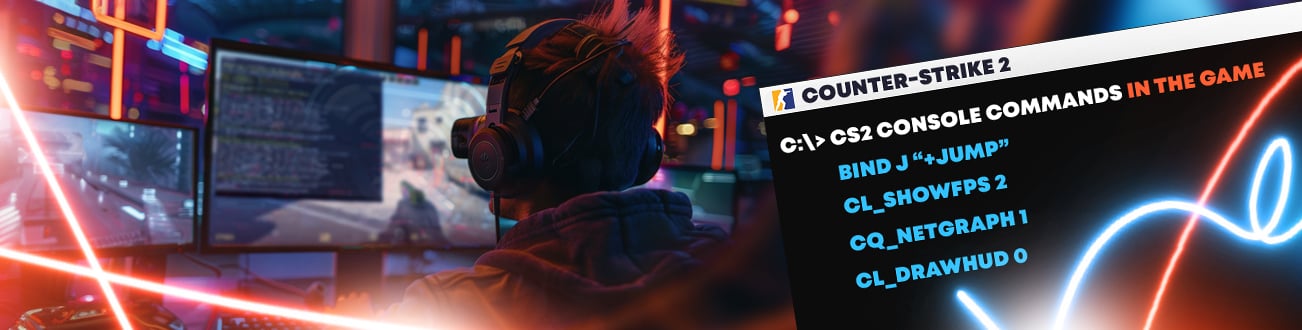
- -console (genuinely useful)
- +fps_max 0 (useful if hardware sustains 300+ fps)
- -nojoy (frees minimal memory)
What Doesn’t:
- -tickrate 128 (no effect—CS2 uses sub-tick)
- -novid (Valve removed intro videos)
- +thread_pool_option 0 (parameter doesn’t exist)
- -high (inconsistent, causes instability)
- mat_queue_mode 2 (doesn’t work in CS2)
Takeaway: Minimal launch options beat long strings. Real gains come from system cleanup and in-game settings.
Myth #2: Maximum Volume Improves Footsteps
The Myth: “Crank volume to 100% for better footstep hearing.”
The Reality: Backwards and harmful. Excessive volume damages hearing, increases fatigue, reduces audio discrimination.
Professional Standard: Pros use 0.4-0.6 volume (40-60%) where footsteps stay crisp. Loud volumes create listener fatigue, degrading decision-making after long sessions.
Volume above 70%:
- Damages hearing with extended play
- Increases listener fatigue
- Reduces subtle audio cue distinction
- Drains battery on wireless headsets
Optimal: Enable headphone EQ (snd_headphone_eq 1) at moderate volume (0.5). Brightens high frequencies where footsteps live.
Takeaway: Moderate volume with EQ beats maximum volume.
Myth #3: DNS Flushing Reduces Ping
The Myth: “Run ipconfig /flushdns and netsh winsock reset for ping drops.”
The Reality: DNS flushing helps only if local DNS cache corrupted—rare. Winsock resets don’t reduce ping. Normal connections gain nothing.
When It Helps:
- Websites load slowly despite fast internet
- Some game servers unreachable, others work
- DNS resolution timeouts occur
When It Won’t:
- High ping to game servers
- Jitter (ping instability)
- Packet loss
- Rubberbanding
These commands address DNS, not latency. If your ping problem isn’t DNS-related, flushing does nothing.
Takeaway: Diagnostic tools for specific DNS issues, not universal ping reducers.
Myth #4: Clearing Temp Folders Boosts FPS
The Myth: “Delete Windows Temp folders for instant FPS gains.”
The Reality: Myth from misunderstanding Windows temp management. Game files aren’t in temp folders—they’re in SSD. Deleting temps provides zero gaming benefit.
Windows uses temp for installation leftovers and system logs. Game engines don’t store performance-critical data there. Clearing temps doesn’t affect FPS.
What Actually Matters for FPS:
- GPU driver version (update, don’t downgrade)
- In-game graphics settings (shadows matter most)
- System RAM available (close background apps)
- GPU VRAM available (don’t stream while gaming)
- CPU thermal management (clean fans)
- Shader cache state (takes 1-3 hours to populate)
Takeaway: Stop deleting folders. Focus on driver updates and graphics settings.
Myth #5: cl_interp_ratio Locked Forever
The Myth: “Valve locked interp in 2023 permanently.”
The Reality: Originated September 2023 when Valve temporarily disabled it. Restriction lifted in patches. Players who stopped trying still believe it’s locked.
cl_interp_ratio works all servers in 2026—Valve, FaceIt, community. Configure via console or in-game settings.
Optimal Settings:
Stable (0% loss):
- cl_interp_ratio 1
- cl_updaterate 128
- cl_cmdrate 128
Unstable (>1% loss):
- cl_interp_ratio 2
- Increases smoothing but adds delay
Takeaway: Update beliefs alongside patches. Old restrictions disappear.
Myth #6: Rate Commands Don’t Matter
The Myth: “Rate, cl_updaterate, cl_cmdrate have no effect.”
The Reality: False. These matter significantly. Misconfigured rates cause degraded hit registration.
Correct Settings:
- rate 786432 (sufficient bandwidth for all)
- cl_cmdrate 128 (send 128 updates/second)
- cl_updaterate 128 (receive 128 updates/second)
These ensure optimal client-server sync and consistent hit registration.
Common Mistakes:
- Setting rate too low throttles bandwidth artificially
- Using defaults without optimization
- Changing settings but not locking in autoexec (resets after patches)
Takeaway: Configure once, lock in autoexec, stop touching.
Myth #7: Internet Speed Reduces Ping
The Myth: “I have 500 Mbps but 90ms ping. Upgrade to 1 Gbps.”
The Reality: Bandwidth and latency completely independent. No speed upgrade fixes routing problems.
Ping depends on: physical distance, ISP routing, submarine cable capacity, peak congestion. Bandwidth depends on: ISP plan, connection type (fiber, cable, DSL).
A 50 Mbps connection to nearby server equals 1 Gbps in ping. Distance determines ping; speed doesn’t.
What Reduces Ping:
- Change ISPs (if current has poor routing)
- Play regional servers (proximity matters)
- Network optimization services (reroute congestion)
- Wired connection instead Wi-Fi
- Router proximity and quality
Takeaway: Stop paying for speed to fix ping. Unrelated problems.
Myth #8: Skins Affect Performance
The Myth: “High-poly skins like Dragon Lore cause FPS drops.”
The Reality: Skins are cosmetics on weapon models. All weapons use identical geometry regardless of skin. Same FPS cost everywhere.
When players equip expensive skins then upgrade GPU, they notice smoother gameplay. They attribute improvement to skin. Actually came from hardware.
What Does Affect Performance:
- Viewmodel settings (custom models have higher polys)
- Sticker density on maps (custom maps cost more)
- Environmental effects (smokes, fire, explosions)
- Player count (10v10 vs 2v2)
Takeaway: Equip whatever skin. Performance impact is zero.
Myth #9: Maximum Graphics Improves Aim
The Myth: “Run high settings to see enemies and improve aim.”
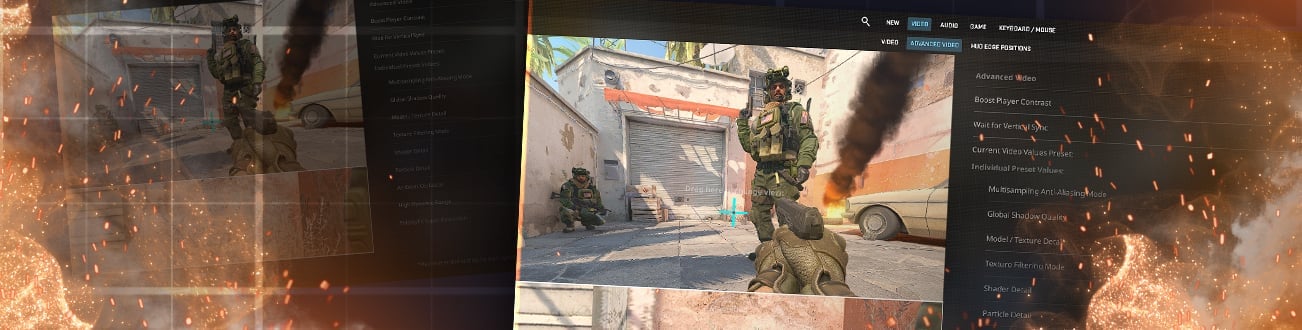
The Reality: Maximum settings reduce FPS and add clutter. Competitive players universally use low.
Professional:
- Shadow Quality: Low
- Effect Detail: Low
- Texture Detail: Medium/Low
- Model Detail: High (visibility matters)
- Anti-Aliasing: Disabled
- Dynamic Lighting: Disabled
Why Low Wins:
- Higher FPS (more updates = smoother aim)
- Clearer silhouettes (no shadow clutter)
- Reduced motion blur perception
- Stable frame times
Takeaway: Aim comes from 240+ stable FPS, not high settings.
Myth #10: Placebo Doesn’t Matter
The Myth: “Most tips are placebo anyway.”
The Reality: Many are placebo. But if changed settings make you feel confident and that improves decision-making, effect is real—just not technical.
When player changes launch options and next 5 games feel smoother, two things happened:
- Actual: Driver shader cache completed (helps)
- Psychological: Belief reduces tilt, improves focus (also helps)
Both effects real. Second just isn’t technical—it’s confidence.
The Problem: Players waste hours chasing placebo while ignoring actual bottlenecks. Spending 3 hours on launch options (placebo) while GPU drivers 6 months outdated (actually hurts).
Takeaway: Don’t chase placebo when real improvements exist.
What Actually Improves CS2
Real Gains:
Update GPU drivers (5-15 FPS) Reduce shadow quality to Low (10-25 FPS) Enable multicore rendering (2-8 FPS) Disable dynamic lighting (3-10 FPS) Use Ethernet not Wi-Fi (20-50ms improvement) Restart router before ranked (30-50ms occasional) Close background apps (3-7 FPS, less stutter) Configure rate 786432, cl_updaterate 128 (better registration)
Psychological Gains (Real):
Configure autoexec settings you trust (consistency matters) Play deathmatch before ranked (warmup matters) Use equipment you believe in (confidence matters)
Time Wasters (Skip):
Lengthy launch strings DNS flushing Temp folder deletion Maximum volume High graphics settings Process priority tweaks
Pro Tips: Optimize Without Wasting Time
- One-time setup: Configure autoexec once, leave it. Don’t tweak between matches.
- Update drivers monthly: Check monthly, not weekly. Minor releases pointless.
- Test in deathmatch: Change something? Play 5 deathmatches first, not ranked.
- Accept physics: Australia to North America is 200ms? Physics. No config fixes it.
Why Myths Persist
Copy-paste culture: Guides reference guides. Nobody verifies. Myths compound through layers.
Selective memory: Change something, feel better? Remember improvement, forget hundreds who felt nothing.
Complexity confidence: Long settings lists look authoritative. Simple advice seems too easy.
When Routing Actually Matters
Most myths involve local optimization. However, one overlooked factor is your data path to game servers.
Your ISP’s routing to Valve servers can be inefficient. In South America, Eastern Europe, Asia, suboptimal routing common. Perfect local optimization doesn’t help when server connectivity poor.
Routing optimization relevant only when local optimization done and international routing is bottleneck. Only helps specific situations.
This resource explains distinction between bandwidth constraints, latency problems, routing inefficiency and which problems respond to each solution.
Summary: Stop Chasing Myths
Performance mythology wastes your time. Furthermore, distracts from real improvements.
Honest truth: Modern CS2 well-optimized. Therefore, 80% of players need only:
- Update GPU drivers
- Set graphics to competitive (Low shadows, Low effects)
- Close Discord and Chrome while playing
- Use Ethernet instead of Wi-Fi
- Lock network settings in autoexec
No launch strings. No DNS flushing. No temp deletion.
Most improvements beyond these five provide marginal returns on massive time investment. Therefore, stop researching and start competing.

Radosław Davidović is Hellcase’s customer success manager. He enjoys blogging to share his knowledge and experience with customers.