
How to Use Infinite Smoke and Nade Commands in CS2 for Better Grenade Practice
 riley-st-john
Perfecting grenade throws is a must for any Counter-Strike 2 (CS2) player who wants to outsmart their opponents and take control of the game. Whether you’re learning new smoke lineups, practicing flashes, or experimenting with molotovs, the right CS2 nade practice commands can make a huge difference. By using console commands like CS2 infinite smokes, infinite grenades, and other useful tools, you can create the perfect practice environment to refine your skills without constantly rebuying gear.
In this guide, we’ll cover everything you need to know about CS2 grenade practice commands, including the CS2 infinite smokes command, how to get infinite grenades in CS2 practice, and the best CS2 commands to practice smokes. With these tips, you’ll be able to set up efficient training sessions, master key lineups, and level up your gameplay faster than ever.

In article you will find:
What is Smoke and Nade Command?
In Counter-Strike 2 (CS2), smoke and nade commands are console commands that help players practice and improve their grenade skills. These commands are used in custom practice lobbies to create the perfect training environment for learning lineups, timings, and strategies without the limitations of a regular match.
For example, the CS2 infinite smokes command and CS2 infinite grenades command allow you to throw as many smokes, flashes, and other grenades as you want without having to rebuy them. This is especially useful when practicing complex lineups or experimenting with different throwing techniques.
By using CS2 commands for nade practice, players can:
- Practice smoke throws for better map control
- Experiment with flashbang and molotov lineups
- Replay scenarios and adjust positions without interruptions
- Improve accuracy and timing with unlimited resources
These commands are essential for anyone looking to master utility usage in CS2 and gain a competitive edge in matches.
All Best Commands for Practicing Smokes in CS2
When practicing smokes in CS2, these commands help you create the perfect environment to learn lineups and refine your technique:
- Enable the developer console
sv_cheats 1Activates cheat commands required for most practice features. - Enable infinite smokes
sv_infinite_ammo 1Lets you throw unlimited smokes without needing to rebuy them. - Show smoke impact for easier lineup learning
sv_grenade_trajectory 1 sv_grenade_trajectory_time 10Displays the smoke’s flight path and landing spot. - Restart the round to reset positions quickly
mp_restartgame 1Resets the match so you can return to default spawn points. - Toggle no clip (fly around the map)
noclipHelps you move freely around the map to check lineups. - Buy smokes instantly
give weapon_smokegrenadeQuickly spawns a smoke grenade for continuous practice.
Pro Tip: Combine sv_infinite_ammo and sv_grenade_trajectory to repeatedly practice difficult smoke lineups and improve muscle memory.
All Commands for Practicing Grenades in CS2
For full grenade training — smokes, molotovs, flashes, and HE grenades — these CS2 grenade practice commands are essential:
- Enable infinite grenades in CS2
sv_infinite_ammo 1Unlimited grenades for non-stop practice sessions. - Show grenade flight path
sv_grenade_trajectory 1 sv_grenade_trajectory_time 10Visualizes the throw path to adjust your aim and timing. - Spawn any type of grenade instantly
give weapon_flashbang give weapon_molotov give weapon_hegrenade give weapon_decoyUseful for practicing a variety of utility throws. - Remove round time limit
mp_roundtime_defuse 60Extends round time so you can practice without interruptions. - Enable friendly fire (optional)
mp_friendlyfire 1Allows testing molotov or grenade damage scenarios. - Add bots for realistic practice
bot_addPractice utility throws in real match-like situations. - Clear all smoke effects instantly
r_cleardecalsRemoves lingering smoke visuals for a clean view.
Why These Commands Matter
Using these CS2 smoke practice commands and CS2 grenade practice commands saves time and creates a controlled environment for skill improvement. Whether you’re learning advanced smoke setups for competitive play or refining your flash timing, these commands will help you master utility usage and dominate your matches.
How to Activate Smoke and Nade Command? Step by Step Guide
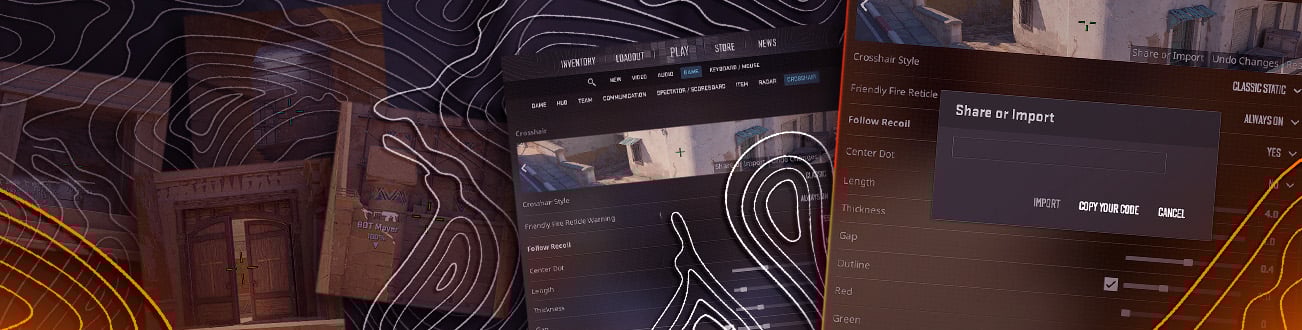
First, you need to activate the developer console. You must head to your in-game settings, open the Game tab, then select Yes for the Enable Developer Console option. After enabling the console, open it up by pressing the prebinded key on your keyboard.
Step 1
Select any map you want to practice your lineups on and start a game with bots (you can also use a map from the workshop). Then, when you enter, open the console and enter the command sv_cheats 1. It will allow you to change the map parameters. More details about console commands for changing map parameters can be found here.
Step 2
After the manipulations that we described above, you can already go directly to the commands for infinite smoke and other grenades. To be able to throw smoke without buying it again, enter the following command in the console:
sv_infinite_ammo 1
To disable this command, change the value at the end to zero:
sv_infinite_ammo 0
These commands make all your grenades infinite and also do not waste ammo when shooting.
How to Practice Grenades in CS2
You can practice grenades in any way convenient for you. There are many maps from the workshop to choose from that will help you learn new lineups and consolidate your knowledge of those you already know.
Just type “smoke practice” or “grenade practice” in the workshop search bar and choose any map you are interested in from those offered. You can also do everything yourself, entering the commands we described above in sequence.
As for the approach to training and memorizing new lineups, they should be memorized gradually. You don’t need to try to memorize all the grenades in one training session; it’s better to practice with those that you consider the most popular. After practice, be sure to test your skills in action, in a real match.
Grenade Line-up Reticle
Previously, players relied on a custom crosshair bind that displayed a large plus sign on the screen to achieve precise lineups. Now, you can use the new line-up reticle for grenade throws, which not only serves the same purpose but also includes a ruler for added precision.
This feature can be enabled in the game settings, where you can customize how long you need to hold the grenade pin for the reticle to appear and decide whether your crosshair remains visible alongside it. This innovation significantly simplifies the process of executing precise grenade throws.
Grenade Practice Binds
In this section we have collected for you all the necessary binds for the smoothest performance during practice in throwing grenades:
mp_buy_anywhere 1 – Purchase zone is not limited, so you can buy items everywhere.
sv_regeneration_force_on true – HP regeneration. If you got damage by falling or nades.
mp_roundtime_defuse 60 – round time duration increases to 60 minutes
bot_kick all – Kicks all bots on the map if you load into a game with bots.
The best effect will be if you use all these commands during training. This way your training will be faster and much more convenient.
To Sum Up
Mastering grenades and lineups in CS2 requires consistent practice and efficient use of tools. Console commands like infinite ammo and smoke tracking, combined with specialized maps and the new line-up reticle, make the training process smoother and more effective.
By utilizing these features and gradually memorizing popular lineups, players can significantly improve their skills. Integrating helpful binds such as extended round time and unlimited purchasing further streamlines practice sessions, ensuring you’re well-prepared for real matches.
Ready to level up your gameplay even further? Head over to our blog for more tips, tricks, and in-depth guides!
Open the developer console, type sv_cheats 1, then enter sv_infinite_ammo 1. This enables infinite grenades for unlimited practice throws.
The command is sv_infinite_ammo 1. It gives you infinite smokes and other grenades without rebuying.
Start an offline match, enable sv_cheats 1, and use commands like sv_grenade_trajectory 1 and sv_infinite_ammo 1 to practice smoke lineups.
sv_cheats 1sv_infinite_ammo 1sv_grenade_trajectory 1give weapon_smokegrenade
These create the ideal practice setup.
Type sv_grenade_trajectory 1 In the console, see grenade flight paths while practicing.
They help you master smokes, flashes, and molotovs by creating a controlled environment for unlimited practice.
Use console commands like:give weapon_smokegrenadegive weapon_flashbanggive weapon_molotov
to instantly spawn grenades.
Yes. Start a local match with no bots, enable sv_cheats 1, and use practice commands for smokes and grenades.
It shows grenade flight paths, helping you refine your throws and learn lineups.
Use the console command mp_restartgame 1 to quickly restart the round without leaving the match.
Enable the console and type sv_rethrow_last_grenade to rethrow your last smoke automatically for quick practice.
Open the console and type r_cleardecals to instantly clear all smoke effects and visual clutter.
Open the console and type give weapon_smokegrenade twice or use sv_infinite_ammo 1 to carry and throw unlimited smokes during practice.

Average CS enjoyer. Knows everything about CS skins, including which ones will suit your weapons best.