


Wicadia CS2 settings
Ali “Wicadia” Haydar Yalçın (born March 4, 2005) is a Turkish CS2 Rifler. He currently plays for Aurora Gaming. The player is known for his standout performances. He rose to prominence on the main Eternal Fire roster after coming up through their academy team. Wicadia is also often called “mini Xantares,” due to his strong individual performances in the high-tier scene. Currently, his only MVP trophy is PGL Masters Bucharest 2025.
Wicadia CS2 settings Crosshair
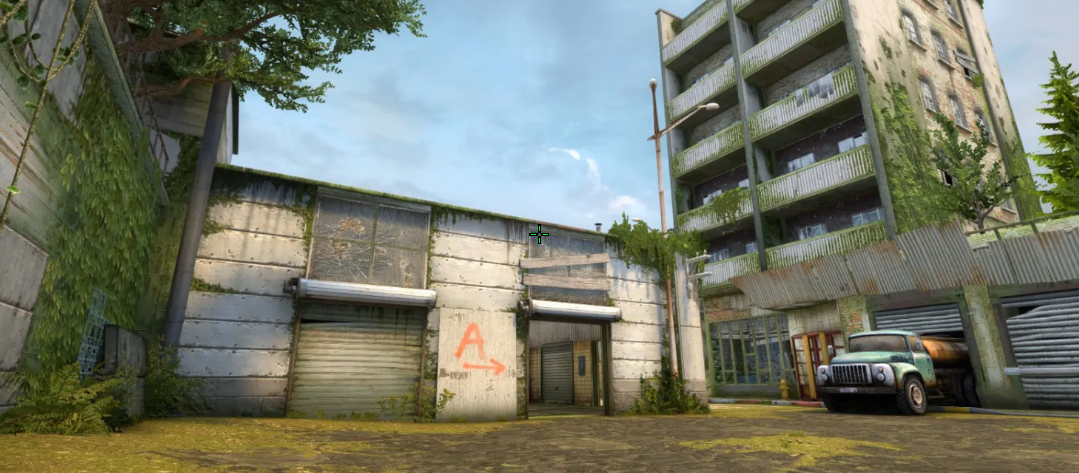
These settings provide an ultra-thin, bright green crosshair. It is designed specifically for pinpoint accuracy and completely unobstructed sightlines. The secret of this configuration lies in the combination of Length (1.9) and Thickness (0). In other words, because of its zero-thickness lines, the crosshair provides exceptional accuracy without obscuring pixels at long range. The last detail is Gap (-2.3), which pulls these lines close together to create an extremely sharp aim point.
Also, Wicadia, like many other professional players, prefers to keep Dot disabled, along with the Follow Recoil feature disabled. It ensures that the crosshair stays perfectly clean during movement and shooting. No less important is a custom neon green color (RGB: 0, 255, 53). Combined with Alpha Value (255), it makes the crosshair highly visible against any background.
CSGO-WQhyz-JcvVK-Y9ptw-H56mk-37QmH
Wicadia CS2 settings Mouse
Wicadia uses a high-sensitivity configuration. His 800 DPI, combined with a 1.8 sensitivity, results in 1440 eDPI. As a result, it is tuned for quick 180-degree turns and high-frequency sensor performance. In other words, this configuration allows the player to check multiple angles and flick between targets with minimal wrist movement. In the end, a 4000Hz polling rate cuts input latency, providing smooth cursor data on high-refresh-rate monitors.
Wicadia CS2 settings Viewmodel
These viewmodel settings create a setup with maximum visibility. It’s possible because of FOV 69 and Offset X (2.5), which push the weapon model to the far right edge of the monitor. Also, Offset Z (-2) lowers the rifle as far down as possible. It keeps your weapon almost completely out of the main field of view. Another detail is Presetpos 1, which maintains a balanced weapon layout. In the end, by setting Bob to False, Wicadia ensures that the weapon won’t move while he’s running or jumping.
viewmodel_fov 68; viewmodel_offset_x 2.5; viewmodel_offset_y 0; viewmodel_offset_z -2; viewmodel_presetpos 1.
Wicadia CS2 settings Video settings
Wicadia prefers settings that deliver high frame rate, low input latency, and a slight advantage in target visibility. For example, the player uses a 1280x960 stretched (4:3) resolution. It widens player models, making them slightly larger and easier to hit. At the same time, it also reduces GPU load. Wicadia sets Maximum FPS to 700. It guaranties the timely and predictable delivery of frames. The player also disables V-Sync and G-Sync. It allows him to make sure mouse movement is always responsive.
Another detail is setting Global Shadow Quality (Low) and Dynamic Shadows (Sun Only). It boosts performance, while the player turns off complex player model shadows around corners. At the same time, Wicadia enables Boost Player Contrast to keep opponent silhouettes sharp against dark textures. The last detail is 4x MSAA, which keeps edges smooth across lower resolutions.
Wicadia CS2 settings Launch options
Launch options are part of settings that might help you during your game session. They differ from in-game settings and console commands because you set them directly in Steam. Also, launch options can help you get a better experience (though not solve all the problems). For example, with the -novid option, you can skip the intro video in CS:GO. Another example is to use -console, which will automatically open the developer console each time you launch the game.
-novid -nojoy -tickrate 128 -console -freq 360 -d3d9ex
Wicadia CS2 settings Skins
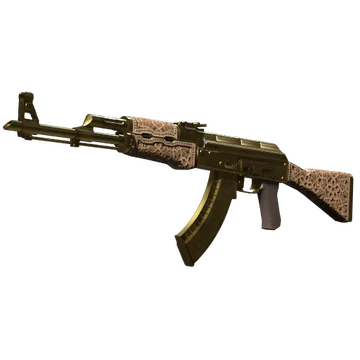
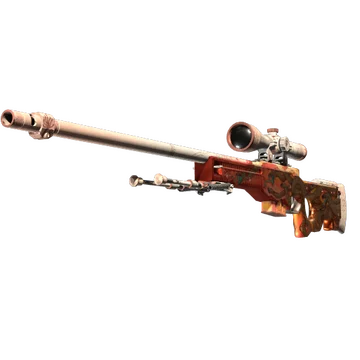
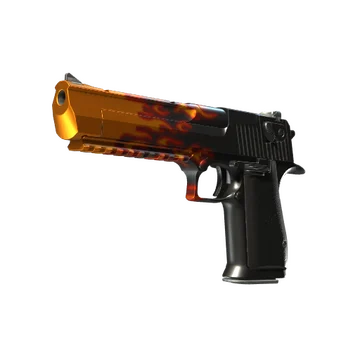
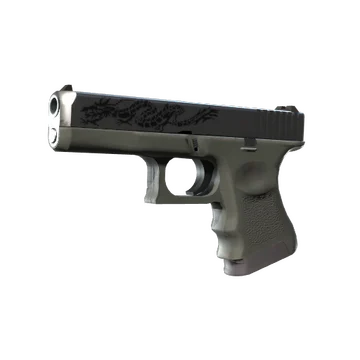
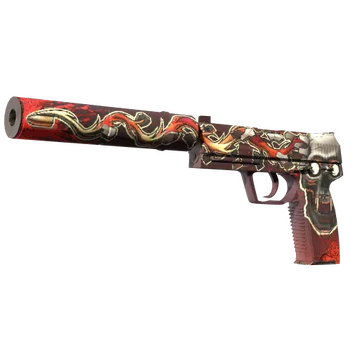
This loadout contains mythological, thematic, and clean finishes, creating a highly coveted inventory. On top of that are AK-47 | Gold Arabesque and AWP | Desert Hydra. These skins feature a gold design inspired by Middle Eastern aesthetics and ancient mythology. Here, we should also add Glock-18 | Dragon Tattoo and USP-S | Kill Confirmed. The Glock continues the theme of Desert Hydra. At the same time, the USP-S is an addition for the next blend we shouldn’t ignore.
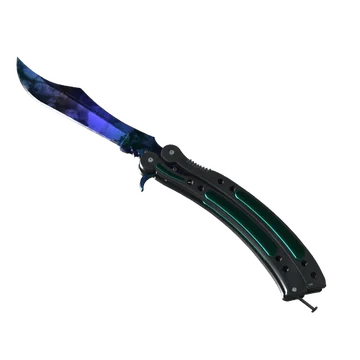
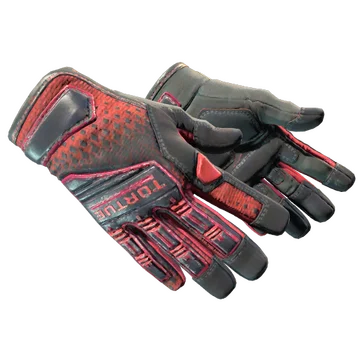
Of course, the next part of Wicadia’s loadout is the noticeable knife glove combo. Butterfly Knife | Doppler Ruby and Specialist Gloves | Crimson Kimono create an eye-catching red combination, which perfectly complements the Rifler role of the player. The last detail here is Desert Eagle | Blaze, which adds flames and more aggressive red to the loadout.
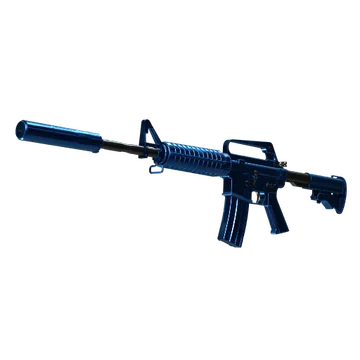
In the end, the player also prefers the classic, clean modern aesthetic of M4A1-S | Blue Phosphor. While it stands out due to its blue coloration, M4 adds more colors to the loadout, making it more noticeable among other pros.
Wicadia CS2 settings Stickers
Wicadia is one of the pros whose stickers with his autograph can’t be sold for a high price. Still, the most valuable of them marked his career as Aurora Gaming’s and Eternal Fire’s rifler. For example, Wicadia (Gold) | Cologne 2026 costs at least $4.72. It commemorates Aurora Gaming’s participation at the Intel Extreme Masters Cologne Major 2026. The team might not have had the chance to win this tournament but they managed to grab a solid 3rd-4th place, showing eye-catching performances and creating notable highlights against teams such as Monte, G2 Esports, 9z Team, and BetBoom Team.
Another notable sticker is Wicadia (Gold) | Budapest 2025. While it costs at least $3.36, this item commemorates Aurora Gaming’s participation at the StarLadder Budapest Major 2025. In this tournament, the team finished 20th-22nd.
The last sticker we should mention is Wicadia (Gold) | Copenhagen 2024. Unlike the other items in this list, it commemorates Wicadia’s experience as part of Eternal Fire and the team’s participation at the PGL Major Copenhagen 2024. Wicadia led his team to 5th-8th place. Currently, the minimum price for the sticker is $3.27.
Wicadia BIO
Wicadia BIO
Ali “Wicadia” Haydar Yalçın started his career in 2021. In his early years, the player participated in various C- and B-tier tournaments, playing for teams such as WinnerCompany, XFlow Esports, OtherSide Esports, Real Winner Company, SMOAD, NATIONPRO, The Chosen Few, and AIMHOUSE. In December 2021, he also joined Eternal Fire Academy. He led his team to victory at the Monsters Reloaded 2022: Turkish Finals, Monsters Reloaded 2022, FACEIT Pro League Challenger - Europe: January 2023, and FACEIT Pro League Challenger - Europe: February 2023.
In mid-2022, Wicadia joined the main Eternal Fire roster. Together, they won several tournaments. This includes FACEIT Pro League - Europe: April 2023, ESL Türkiye Şampiyonası: Winter 2023 and CCT Season 1 Global Finals. In early 2025, the player joined Aurora Gaming. Currently the team has only won PGL Masters Bucharest 2025, yet has had a good showing in the S-tier scene and placed top at various events.
