


Spinx CS2 settings
Lotan “Spinx” Giladi (born September 13, 2000) is an Israeli CS2 Rifler. He currently plays for MOUZ. The player is known for his consistent high-impact fragging, smart positioning, and clutch performance. He is also a winner of the BLAST.tv Paris Major 2023, being part of the Team Vitality’s roster. Spinx is also a 4x HLTV Top 20 player from 2022 to 2025, peaking at #5 in 2023.
Spinx CS2 settings Crosshair
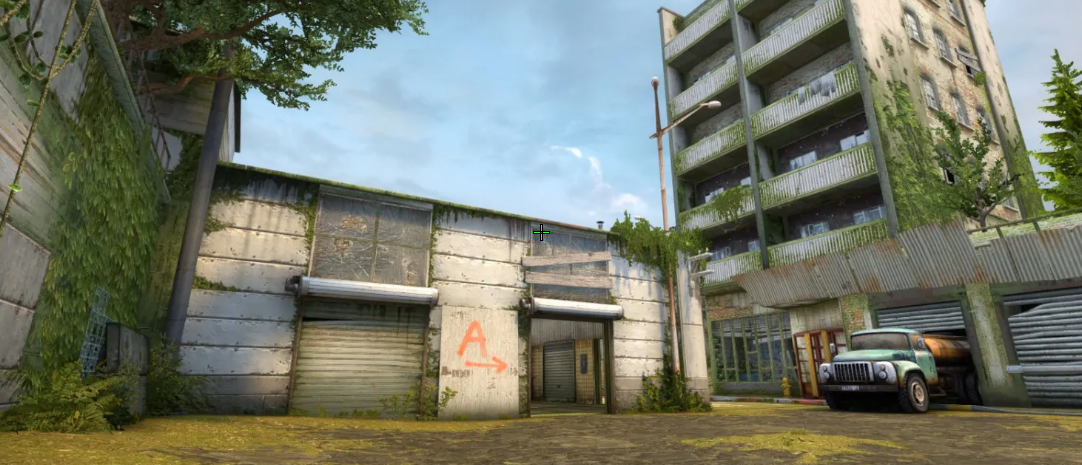
These settings create an ultra-thin crosshair. In fact, it is designed for precise head-level aiming and high visibility. The main details are Length (2), Thickness (0), and Gap (-3). This combination creates a thin crosshair, where the bars are pulled close together. No less important is to mention that Dot and Follow Recoil are disabled. In other words, the central part doesn’t block small target pixels, while the crosshair stays static during shooting or movement.
Another detail we shouldn’t ignore is the color. Spinx chooses green. The player combines it with Alpha Value (255), making it highly visible. As a result, it stays noticeable against any background and during fights.
CSGO-hP4eK-PqkTQ-jo4T7-cmpxc-ZHZML
Spinx CS2 settings Mouse
Spinx uses a medium-sensitivity configuration. His 900 DPI, combined with a 1.1 sensitivity, results in 990 eDPI. It allows the player to easily clear angles, check each corner, and make quick flicks without large arm movements across the mousepad. At the same time, this sensitivity doesn’t affect his recoil control. The last detail is a 1000Hz polling rate, which guarantees ultra-low-latency sensor reporting.
Spinx CS2 settings Viewmodel
These viewmodel settings create a setup with maximum visibility. The secret lies in the combination of FOV (68) and Offset X (2.5). It moves the weapon model as far to the right edge as possible. Because of that, the main area of view is clear and unobstructed. Offset Z (-1.5) moves the weapon model down toward the bottom frame. The last detail is Bob (False), which turns off weapon motion during movement. In other words, the player focuses completely on target tracking.
viewmodel_fov 68; viewmodel_offset_x 2.5; viewmodel_offset_y 0; viewmodel_offset_z -1.5; viewmodel_presetpos 2.
Spinx CS2 settings Video settings
Spinx prefers settings that maximize FPS and give the player a slight advantage against opponents. For example, he uses a 1280x960 stretched (4:3) resolution. While it cuts the edges of the screen, it also makes player models slightly larger. As a result, it is easier to hit them. Another advantage is that it also reduces GPU load.
Also, Spinx combines Brightness (93%) with Boost Player Contrast (Enabled). It makes player silhouettes more visible against dark backgrounds. At the same time, no less important are Global Shadow Quality (Very High) and Dynamic Shadows (All). These settings ensure that Spinx sees player shadows around corners. He also enables NVIDIA Reflex Low Latency to keep CPU and GPU synchronized and reduce click-to-response latency. Lastly, Spinx sets the detail quality to Low, which allows him to get 500 FPS without issue.
Spinx CS2 settings Launch options
Launch options are part of the settings that can help you get a smoother experience during gaming. For example, -vulkan launches CS2 through the Vulkan API instead of DirectX11 (could give an FPS boost on AMD GPUs and weak CPU setups). At the same time, some of them have become useless from the CS:GO era. One of them is -novid, which skips the intro video but doesn’t have any effect in CS2.
Spinx is one of the players who doesn’t use any launch options.
Spinx CS2 settings Skins
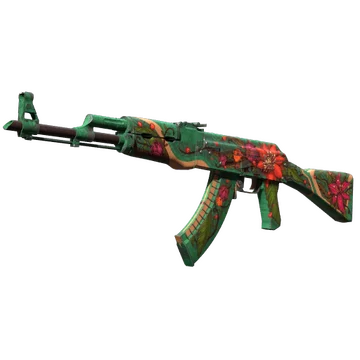
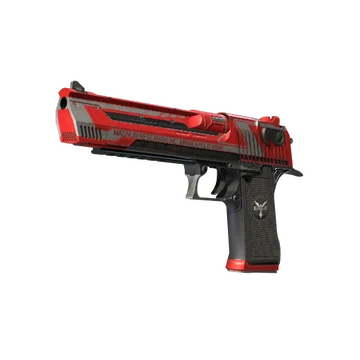
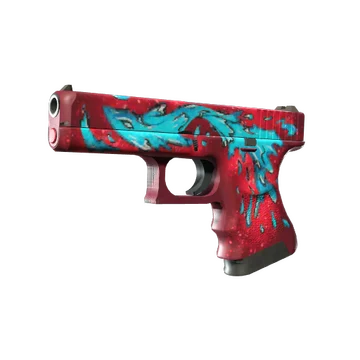
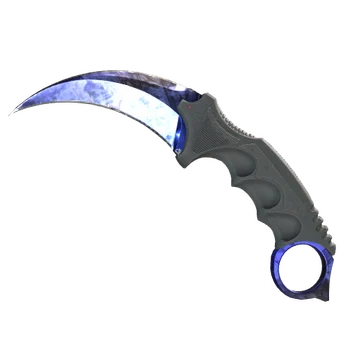
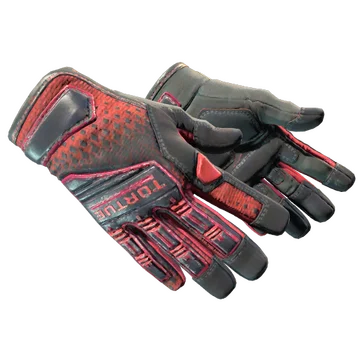
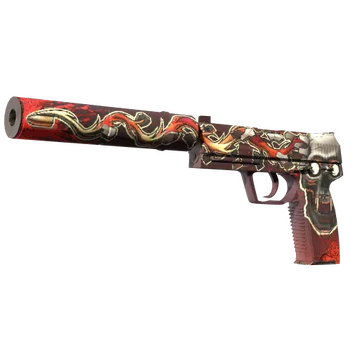
This loadout contains one of the most popular skins in the CS community. And, most crucially, Spinx prefers finishes with red coloration. You can find it on any side and any weapon type. Of course, the most noticeable bright red is the knife glove combo. For this combination, the player chooses a coveted Karambit | Doppler Ruby and Specialist Gloves | Crimson Kimono. Desert Eagle | Code Red complements them by adding a modern, clean design.
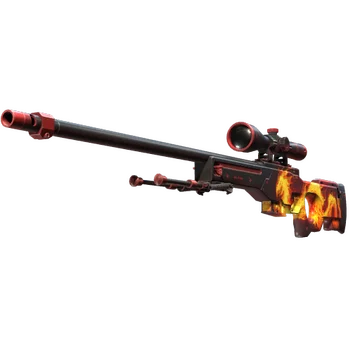
No less eye-catching is AWP | Wildfire. While Spinx is a Rifler, he continues to collect the items that emphasize his playstyle and preferences. Also, it’s one of the many skins in his loadout that feature a thematic design. This specific item features an image of the legendary Phoenix, ready to make an unstoppable comeback.
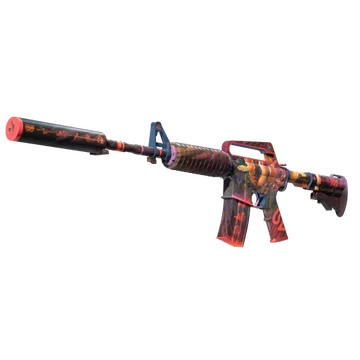
For the CT-side, Spinx prefers USP-S | Kill Confirmed and M4A1-S | Welcome to the Jungle. While the pistol features an image of a skull with a bullet, the M4 features a poisonous snake ready to bite anyone. Both guns offer a silencer, which is a perfect option for a Lurker to avoid sharing his location.
For the T-side, the pro plays with Glock-18 | Water Elemental and AK-47 | Wild Lotus. The interesting detail is that both of these skins add even more colors to the loadout. The pistol is blue, while the AK features more green than red. Still, this contrast perfectly complements the other finishes.
Spinx CS2 settings Stickers
Spinx is one of the professional players whose autograph stickers don’t feature a high price. For example, the most valuable one is Spinx (Gold) | Cologne 2026. It currently costs at least $4.16. This sticker commemorates MOUZ's participation at the Intel Extreme Masters Cologne Major 2026. While the roster is capable of winning an S-tier tournament, in this event they only beat Legacy and finished 12th-14th.
In fact, another noticeable item is Spinx (Gold, Ranked) | Cologne 2026. Its lowest current cost is $2.33. The only difference between the Ranked and the previous sticker is their form. The ranked sticker is square, while Spinx (Gold) | Cologne 2026 is round. Also, Spinx (Gold, Ranked) | Cologne 2026 has a specific number in the bottom right corner (12), which shows the player’s rank.
Spinx (Gold) | Rio 2022 is also worth mentioning. It commemorates the player’s first Major (Intel Extreme Masters Rio Major 2022) with Team Vitality. In this tournament, the team was defeated by ENCE in the Legends Stage and finished 12th-14th. Currently, the sticker costs at least $3.10.
Spinx BIO
Spinx BIO
Lotan “Spinx” Giladi is one of the best professional players in Counter-Strike. He began his professional career in 2018. Until 2021, when he joined ENCE, Spinx participated in various online tournaments as part of different teams. Among them are NOM-Gaming, Aequus Club, and C0ntact Gaming. With ENCE, Lotan Giladi played his first offline event, the Intel Extreme Masters XVI - Fall: Europe, where the team finished 2nd.
In late 2022, Spinx joined Team Vitality. He won his second event with this team, the ESL Pro League Season 16. The most noticeable victory of this roster is the BLAST.tv Paris Major 2023. In the next two Majors, they finished 3rd-4th (PGL Major Copenhagen 2024) and 5th-8th (Perfect World Shanghai Major 2024).
Still, in early 2025, he joined MOUZ. Together, they won their first event, the PGL Cluj-Napoca 2025, and finished 2nd in the next two tournaments. Their last victory was BLAST Bounty Summer 2026 where they beat Team Spirit 3:1.
Spinx has won 8 trophies in total, including a Major victory and an MVP medal from the BLAST Bounty 2026 Finals Season 2. The player has been a staple in the HLTV Top 20 players of the Year rankings since 2022. His highest ranking is #5 in 2023.
