


S1mple CS2 settings
Oleksandr “s1mple” Kostyliev (born October 2, 1997) is a Ukrainian CS2 AWPer. He currently plays for BC.Game. The player is known for unmatched skill, sniper accuracy, and outstanding clutch play, allowing him to carry his teams to victory single-handedly. He also has a nickname, “The Undertaker.” He has won 21 HLTV MVP medals, a Major, and an Intel Grand Slam trophy. Also, he has been crowned as the best player of 2018, 2021, and 2022.
S1mple CS2 settings Crosshair
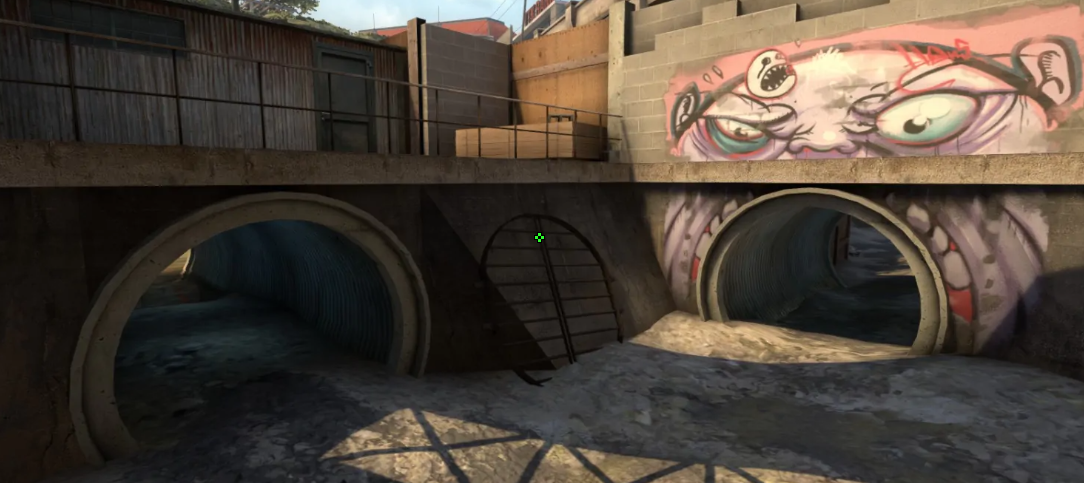
These settings provide a static crosshair focused on precise headshots, along with minimal obstruction of the field of view. It could be a perfect option for players looking for a small aim that remains steady during spray control and movement.
The main details are Length (1), Thickness (1), and Gap (-4). The combination of these settings creates a crosshair with no inner space. Also, the lack of a dot prevents your target’s head from being hidden behind central pixels. As a result, while the crosshair doesn’t follow recoil, it also allows you to aim at opponent models even at long ranges without being distracted.
The last crucial detail is the color of the crosshair. s1mple sets it as Green, combining it with an Alpha Value of 200. It always allows the player to see his crosshair on any map, whether it is Dust II, Anubis, or Overpass.
CSGO-u2H9q-R3KDb-ijHuY-Bfizr-J9T8N
S1mple CS2 settings Mouse
s1mple uses aggressive sensitivity settings. They are designed specifically for quick target acquisition and highly dynamic gameplay. While the player is known as an AWPer, this configuration allows him to play as a Rifler with fast flick shots and frequent 180-degree turns.
His 400 DPI, combined with a 3.09 sensitivity, results in 1236 eDPI. It allows the player to make large mouse movements across the screen with minimal wrist movement. As a result, s1mple can easily and quickly clear tight angles or react to unexpected threats.
S1mple CS2 settings Viewmodel
These viewmodel settings provide a clean layout, which is an ideal option for maximizing screen visibility during fights. Due to the FOV 68, the weapon model is pushed away. At the same time, Offset X (2.5) shifts it to the right edge of the screen, while Offset Z (-1.5) moves the rifle further down. The central part is clear, and the player can see as much as possible while staying focused on target tracking.
viewmodel_fov 68; viewmodel_offset_x 2.5; viewmodel_offset_y 0; viewmodel_offset_z -1.5; viewmodel_presetpos 2.
S1mple CS2 settings Video settings
s1mple prefers settings with uncapped frame rates, maximum target width, and extreme visibility in dark corners. For FPS, he sets Maximum FPS to 0. It provides the lowest possible frame latency for high-refresh-rate displays. To make player models wider and easier to hit, s1mple chooses 1280x960 stretched (4:3). Also, it reduces rendering load.
While the player keeps Boost Player Contrast disabled, he sets Brightness to 110%. Such a choice compensates for the lack of contrast, allowing you to clearly see player models in shadowed areas on maps like Anubis or Nuke. 8x MSAA keeps edges clean on lowered resolutions. In the end, setting Shaders, Particles, and Textures low allows you to keep framerates consistently high during multiple utilities and fights.
S1mple CS2 settings Launch options
Launch options are part of the settings that allow you to get a smoother session. While they aren’t crucial for CS2, some of these options stay relevant on the new Source 2 engine. One such option is +fps_max 500. It forces the system to keep a maximum limit of frames to reduce input latency.
-freq 360 -novid -console +fps_max 999
S1mple CS2 settings Skins
 FN
ST
FN
ST
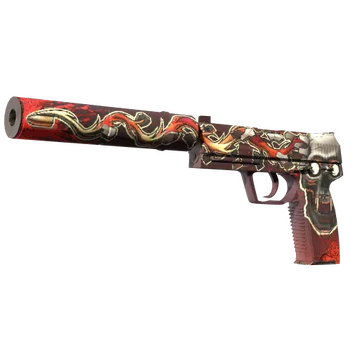
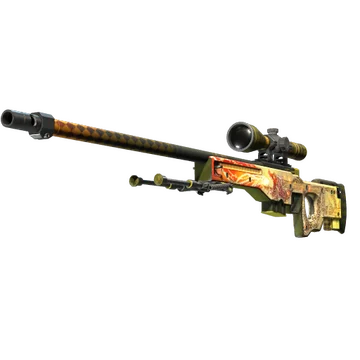
This loadout is an example of elite inventory. The reason is that it combines one of the most iconic items in Counter-Strike history. For example, one of them is AWP | Dragon Lore. Introduced in 2014, this skin instantly became popular in the community due to its rarity and a long golden dragon stretching across the entire rifle.
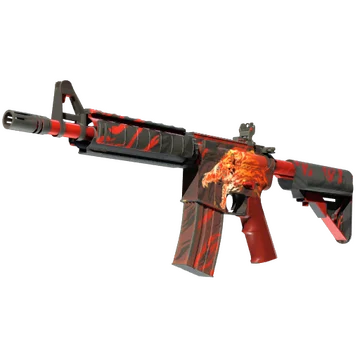
Another extremely coveted skin is undoubtedly the M4A4 | Howl. While it also shares an outstanding design featuring a snarling wolf’s head engulfed in fiery red and orange flames, its popularity stems primarily from its rarity. It is the only Contraband rarity tier skin. In other words, the only possible option to obtain this item these days is through direct purchase or trading. You cannot obtain it from case opening or trade-up contracts.
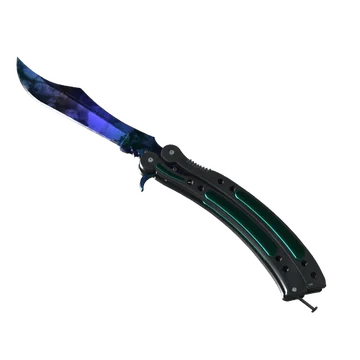
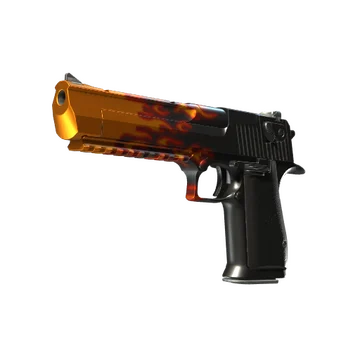
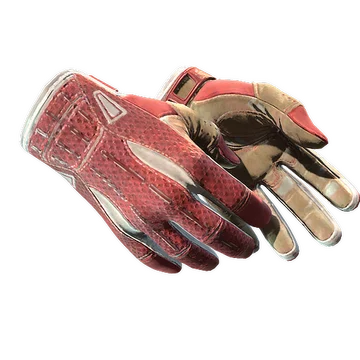
Still, we also shouldn’t ignore other items in s1mple’s loadout. In addition to Howl, the player chooses the Butterfly Knife | Doppler Ruby, Desert Eagle | Blaze, Sport Gloves | Slingshot, and StatTrak™ USP-S | Kill Confirmed. This combination of red coloration creates an outstanding and aggressive loadout that catches eyes in every single round on the CT side.
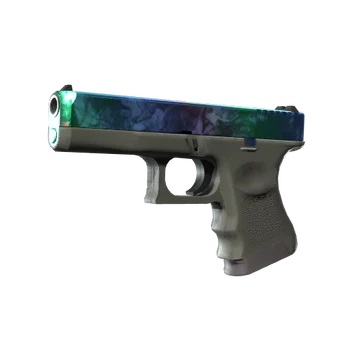
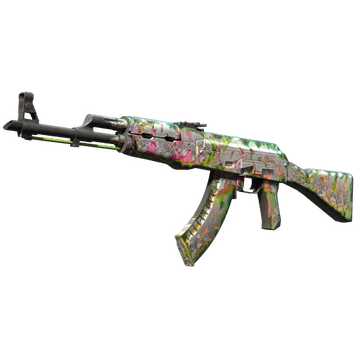
For the T side, s1mple adds more green to the game. It is possible with AK-47 | Head Shot and Glock-18 | Gamma Doppler Emerald.
S1mple CS2 settings Stickers
s1mple is one of the few players whose autograph stickers can offer a premium price. For example, among the most outstanding is s1mple (Gold) | Krakow 2017. It commemorates s1mple's participation on the NaVi roster at the PGL Major Kraków 2017. While the team finished in 12th-14th place, s1mple has consistently shown the highest KD in matches against G2, FlipSid3 Tactics, Immortals, and Fnatic. Currently, the minimum price of the sticker is $4,160.
Another sticker worth mentioning is s1mple (Gold) | London 2018. It is a tribute to the player’s presence at the FACEIT Major: London 2018. In that tournament, NaVi eliminated a number of opponents, including FaZe Clan, Ninjas in Pyjamas, Fnatic, BIG, and MIBR. They finished 2nd, losing to Astralis. Nowadays, this sticker costs at least $1,165.
The cheapest sticker (from the mentioned) is s1mple (Gold) | Boston 2018. Like other stickers, it commemorates s1mple's participation in the ELEAGUE Major Boston 2018. In that S-Tier tournament, NaVi secured 3rd-4th place, losing to FaZe Clan in the Semifinals. Today, the minimum price of the sticker is $1,063.
s1mple BIO
s1mple BIO
Oleksandr “s1mple” Kostyliev (born 2 October 1997) is widely considered one of the greatest players in Counter-Strike history. He is known for his incredible mechanical skill, clutch potential, and aggressive AWPing style. Started playing CS at four years old, while joining his first professional team in 2013, a year after CS:GO release.
After participating in Tier-1 tournaments with HellRaisers and FlipSid3, s1mple joined Team Liquid. In 2016, he gained worldwide fame, reaching the finals of ESL One Cologne 2016. Later this year, he joined Natus Vincere and led the team to victories at PGL Major Stockholm 2021 and Intel Grand Slam Season 3. During this tournament, s1mple got a 2.26 HLTV rating in one of the two maps against Gambit in the Semifinals, and was named Major MVP. He also was named Best Esports Player at The Game Awards.
In 2023, soon after CS2's release, he announced he would step away from professional Counter-Strike competition. During the next few years, the player joined Team Falcons on loan for four A-tier tournaments, including the Perfect World Shanghai Major 2024: European RMR A. He also replaced broky at FaZe Clan to participate in the BLAST.tv Austin Major. From mid 2025, s1mple joined BC.Game Esports.
During his career, s1mple was ranked #1 in the world in 2018, 2021, and 2022. He also has 21 HLTV MVP awards.
