

molodoy CS2 settings
Danil “molodoy” Golubenko (January 10, 2005) is a Kazakh CS2 AWPer. He currently plays for FURIA Esports. The player is known as one of the most promising young talents from Kazakhstan alongside stars like donk and m0NESY. Started playing on the pro scene in 2020, he rose to be ranked #6 on HLTV’s Top 20 players of 2025. molodoy also earned two MVP awards in 2025 at the FISSURE Playground #2 and Intel Extreme Masters Chengdu 2025 tournaments.
molodoy CS2 settings Crosshair
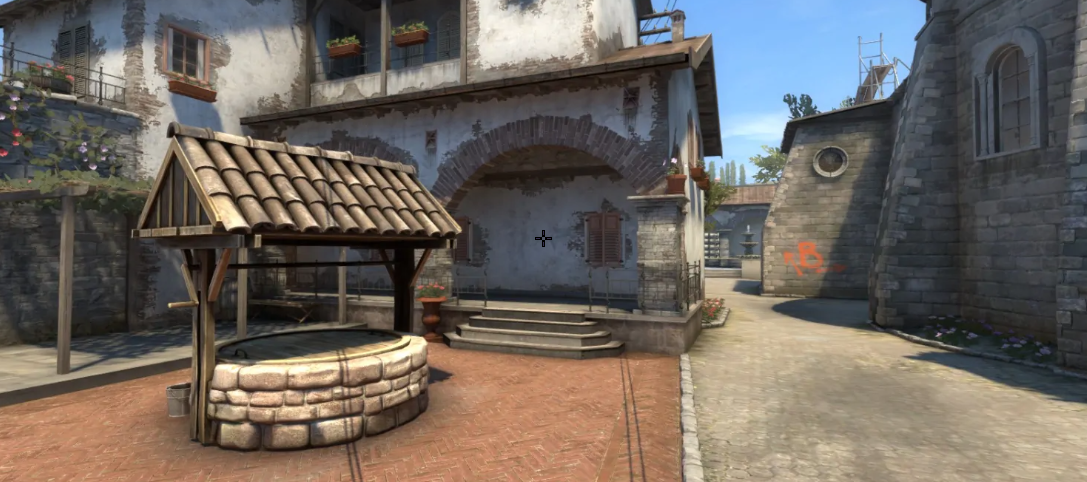
These settings provide an ultra-fine white crosshair. It is designed for surgical precision and an unobstructed view. The secret lies in the combination of Length 1.5, Thickness 0.5, and Gap -2.2. Also, it is important to mention a pure White blend (RGB: 255, 255, 255) with an Alpha Value of 255. It makes the crosshair compact and thin, with a barely noticeable gap in the center.
In fact, choosing such a neutral coloration for a thin crosshair requires considerable experience. It could be hard to notice it during a fight if you are a newcomer. No less important is getting used to it. Still, with the Dot and Follow Recoil options disabled, this crosshair ensures your aim point stays clean and completely static during movement and spray control.
CSGO-KDOkV-jUpoE-GdhAh-YzbZL-MYXTB
molodoy CS2 settings Mouse
molodoy uses a classic, low-sensitivity configuration. His 400 DPI, combined with a 1.9 sensitivity, results in 760 eDPI. This lower eDPI gives FURIA’s AWPer a significant window for error during long-range duels and fine micro-adjustments. It simply makes a crosshair placement steady and forgiving. A 1000 Hz polling rate ensures smooth, low-latency sensor reporting. In the end, standard Windows Sensitivity (6) guarantees raw mouse input straight to CS2.
molodoy CS2 settings Viewmodel
These viewmodel settings maximize screen space and open up central visibility while keeping the weapon in a standardized position. Setting FOV to 68 and Offset X to 2.5 pushes the weapon model outward to the right edge of a monitor. As a result, it clears the central sightline for duels. Also, due to Offset Z (-1.5), molodoy moves the weapon model positioning further down toward the bottom frame. In the end, the player uses Presetpos 1. It provides a clean, standard layout favored by competitive players.
viewmodel_fov 68; viewmodel_offset_x 2.5; viewmodel_offset_y 0; viewmodel_offset_z -1.5; viewmodel_presetpos 1.
molodoy CS2 settings Video settings
molodoy's preferred settings are a stretched 4:3 target view with high image detail and high contrast, making the enemy's silhouette easy to see. He goes for 1280x960 stretched (4:3) which makes player models wider in the horizontal plane, so targets are visually larger and easier to track. To compensate for the lower 70% Brightness, molodoy turns on Boost Player Contrast.
At the same time, the player sets the high quality of details, such as Global Shadow Quality, Shader Detail, and Model/Texture Detail. It provides rich surface textures and detailed corner shadows. To ensure ultra-low input latency, molodoy disables V-Sync and G-Sync and sets Maximum FPS to 999. The last detail is 4x MSAA that smooths out jagged edges.
molodoy CS2 settings Launch options
Launch options were almost crucial for CS:GO because they helped solve issues such as increasing DirectX 9 memory or skipping the video intro at launch. These days, with the CS2 version of the game, some of these launch options are no longer useful. At the same time, you can use an option like +fps_max 200. It caps the max FPS limit.
molodoy is one of the pro players who does not use any Launch Options.
molodoy CS2 settings Skins
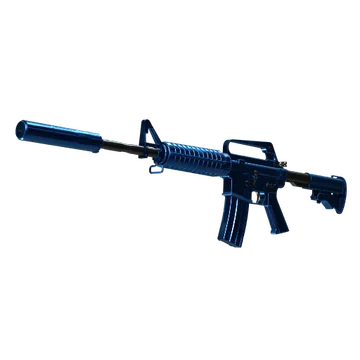
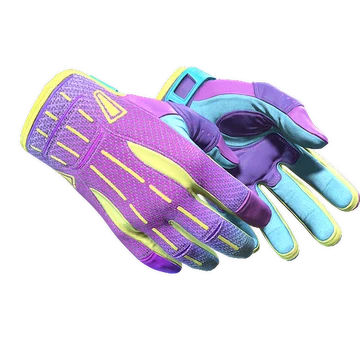
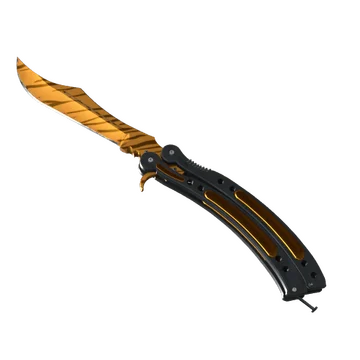
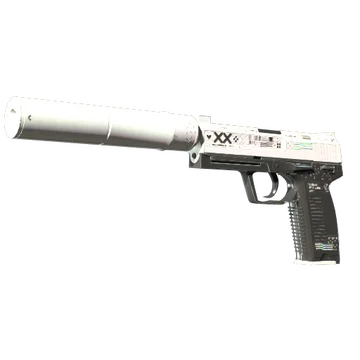
This loadout combines classic and coveted items, including a high-end knife and iconic gloves. Still, we should mention that molodoy is one of the pro players who doesn’t create an inventory of similar-colored skins, yet owns noticeable finishes. For example, for a knife glove combo, he chooses Butterfly Knife | Tiger Tooth and Sport Gloves | Ultra Violent. Both items share a premium value and are eye-catching in every match.
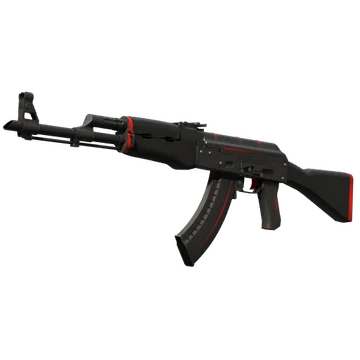
For rifles, the player chooses AK-47 | Redline and M4A1-S | Blue Phosphor. These skins feature a modern design. Moreover, while both of them have different colorations (black and red for Redline and blue for Blue Phosphor), they emphasize his AWPer skill by adding more neutral, classic colors to the loadout.
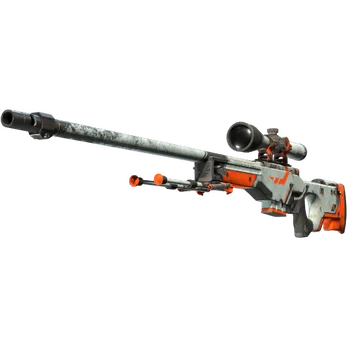
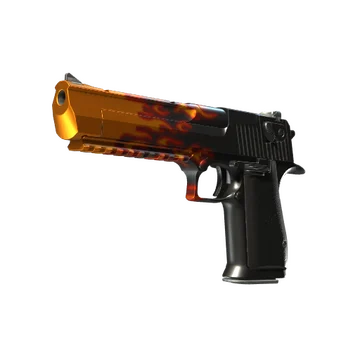
The addition to the inventory is a coveted Desert Eagle | Blaze. Its flames bring an exceptionally aggressive aesthetic to the loadout. In the end, there are two classic finishes. One of them, AWP | Asiimov, brings an iconic sci-fi orange/white aesthetic, while the other, USP-S | Printstream, adds a clean, pearlescent modern finish.
molodoy CS2 settings Stickers
molodoy is one of the pros whose stickers with his autograph can’t fetch a high price. Still, the most valuable among them marked his career with FURIA as an AWPer. For example, molodoy (Gold) | Cologne 2026 costs at least $17.81. It commemorates FURIA’s participation at the Intel Extreme Masters Cologne Major 2026. The team won multiple matches against B8, MOUZ, BetBoom Team, 9z Team, and Aurora Gaming, but lost to Team Falcons in the Grand Final.
No less noticeable is the molodoy (Gold) | Austin 2025. Its minimum price starts at $13.35. It commemorates FURIA’s participation at the BLAST.tv Austin Major 2025. While the team won against Lynn Vision Gaming, M80, B8, The Mongolz, Aurora Gaming, and Virtus.pro, they were stopped by paiN Gaming in the Quarterfinals.
The last sticker on our list is molodoy (Gold) | Budapest 2025. Currently, the lowest price is $5.10. It commemorates FURIA’s participation at the StarLadder Budapest Major 2025. As in the previous tournament, the team won multiple matches. Still, in the Quarterfinals, they lost to Natus Vincere.
molodoy BIO
molodoy BIO
molodoy began his professional career in 2020, playing in Kazakh internet cafes and competing in lower-tier tournaments as part of Barys, Bella Ciao, and PH Sunshine. In 2024, the player joined ALLINNERS and led the team to victory at the META Cup Season 1. In late 2024, molodoy joined DMS and participated in online tournaments.
2025 became a year of huge changes for the player. First, he joined AMKAL ESPORTS. The team participated in several online tournaments, such as CCT Season 2 European Series #16 and ESEA Season 52: Advanced Division - Europe. In mid-2025, just before PGL Astana 2025, molodoy joined FURIA Esports, replacing Marcelo “chelo” Cespedes. In that tournament, the team placed 4th and lost to Aurora Gaming in the Third Place Match. Still, together with FURIA, molodoy won several S-tier tournaments, including FISSURE Playground #2, Intel Extreme Masters Chengdu 2025, and BLAST Rivals Fall 2025.
During his career, the player won four trophies, including two MVPs for IEM Chengdu 2025 and FISSURE Playground #2. molodoy was also ranked #6 on HLTV’s Top 20 players of 2025.
