


b1t Pro Settings
Valerii “b1t” Vakhovskyi (born January 5, 2003) is a Ukrainian CS2 rifler. He currently plays for Natus Vincere (NaVi). The player is known for his unprecedented precision and calmness. b1t also boasts an outstanding 62% headshot accuracy, making him one of the most talented riflers on the competitive scene. He was a core member of the team, leading it to the organization’s first-ever Major win back in 2021. After less than three years, NaVi secured another Major, PGL Major Copenhagen 2024. Today, b1t continues to grow as a pro, inspiring players around the world.
b1t Pro Settings Crosshair
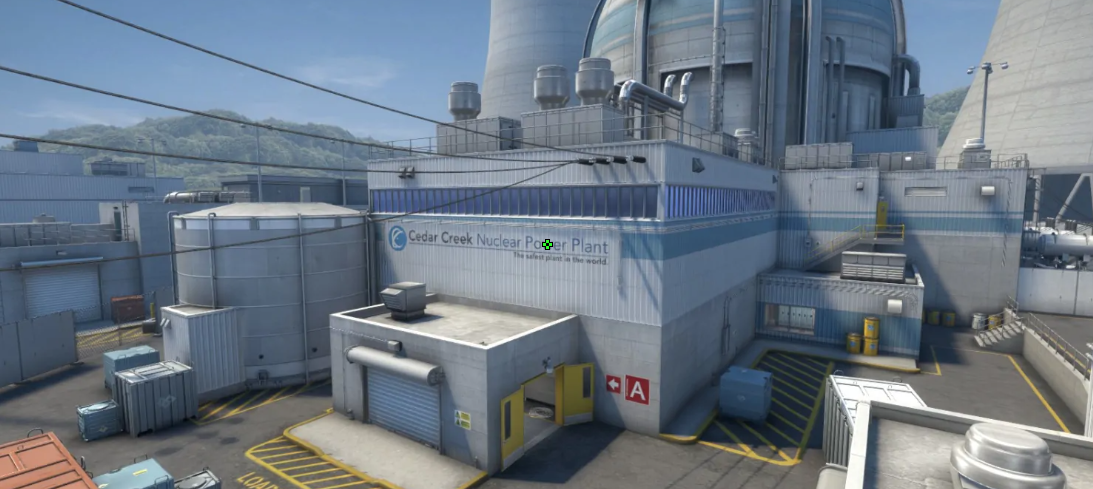
These settings create a tiny square crosshair. It’s possible due to the Length (1) and Gap (-4), which pull the four lines tightly together to form a compact block in the center. Such a setting can be perfect for riflers who work on their muscle memory. The main detail is the lack of a dot. No less important is the color of the crosshair, which remains visible on any map background. As a result, the player locates the opponent’s head “inside” the square and aims it perfectly.
At the same time, we should mention the size of the crosshair itself. It doesn’t have an outline, and its size is 1. Hence, it occupies just a bit of the player’s screen and does not distract. Moreover, it could be especially useful in long-range duels on maps like Mirage. In the end, such a crosshair stays static and doesn’t move with recoil, making it stable no matter what.
CSGO-fF7Hd-eNRH6-nGdJm-pfj89-h7z6A
b1t Pro Settings Mouse
b1t uses a low-sensitivity setup. His 400 DPI, combined with a 1.7 sensitivity, results in 680 eDPI. As a consequence, it allows the player to make micro-adjustments during long-range duels without losing the recoil pattern. At the same time, it would need to use an entire arm move to turn. Still, his combination of sensitivity and 2000Hz ensures b1t can hold tight angles without delay.
b1t Pro Settings Viewmodel
The player prefers the max visibility setting. That’s why he uses FOV 68. It instantly pushes the weapon away from the camera, making it look slightly smaller. Also, the Offset settings X, Y, and Z position the gun as far to the right and as low as possible. In the end, the center of the screen stays clear and is not obstructed by the weapon model.
viewmodel_fov 68; viewmodel_offset_x 2.5; viewmodel_offset_y 0; viewmodel_offset_z -1.5; viewmodel_presetpos 1.
b1t Pro Settings Video settings
b1t uses settings for high visibility, along with a 4:3 stretched aspect ratio, which gives him a slight advantage with larger player models (easier to aim). At the same time, the pro chooses 8x MSAA. With this set, he eliminates screen edge shimmer. It allows him to spot even a tiny head-pixel at a distance on maps like Nuke.
While the quality of many details is set to Low, b1t chooses high quality for Global Shadow Quality and Ambient Occlusion. This choice gives the player an advantage to see an opponent’s shadow before they peek around the corner. Additionally, using this setup, b1t eliminates the possibility of a camouflage effect in dark areas, making player models pop out more distinctly against the background.
b1t Pro Settings Launch options
Launch options in Counter-Strike are essential if you want to make your experience slightly more comfortable. Using these commands, players can automatically open the developer console each time they launch the game. Or, even more useful, force the system to run the game at a specific frame rate.
+fps_max 500 -freq 360 -console -tickrate 128 -novid -rate 786432
b1t Pro Settings Skins
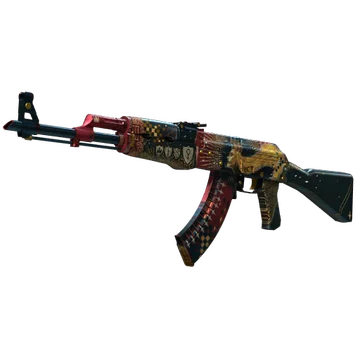
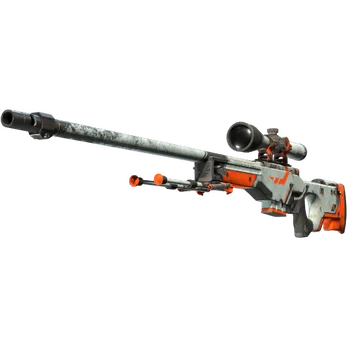
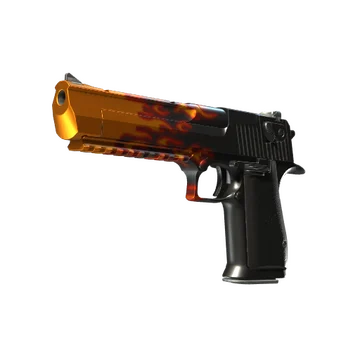
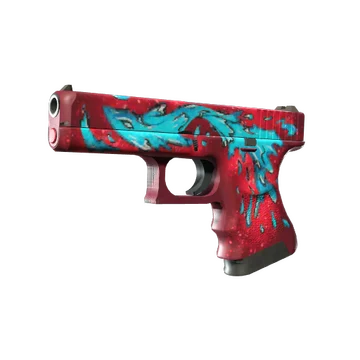
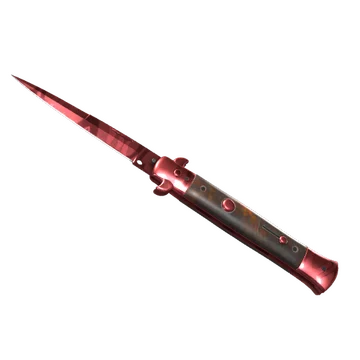
b1t is among the players whose loadout features almost one color. Here, such a color is red. It includes an AK, a Deagle, a Glock, a USP-S, gloves, and a knife. As a result, it creates an eye-catching inventory and makes each performance in the game especially noticeable.
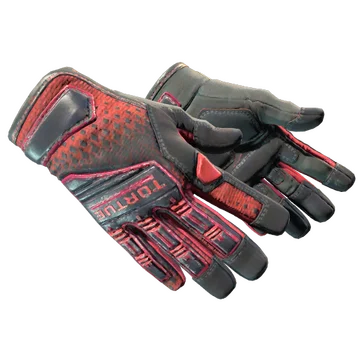
For example, one of the most breathtaking details is the knife glove combo. b1t combines a red blade of Stiletto Knife | Slaughter with the stark red diamond pattern of Specialist Gloves | Crimson Kimono.
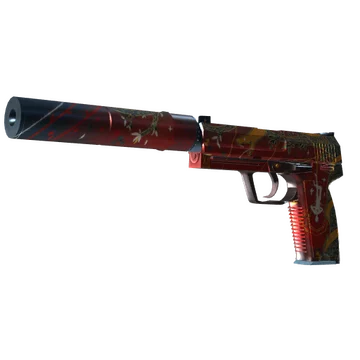
No less essential is to mention AK-47 | The Empress. In Battle-Scarred wear quality, this skin becomes more antique-looking. Inspired by the Tarot card, its look feels ancient and powerful. Moreover, it perfectly complements USP-S | The Traitor, whose design is also inspired by the Tarot card. It features a tree of life rising from a blood-red base, adorned with gold leaf accents.
One of the skins that doesn’t complement the red loadout is AWP | Asiimov. This skin offers a modern, sci-fi aesthetic and is well-known in the community. In Battle-Scarred wear quality, it shares a more professional look, like a weapon that has survived many battles.
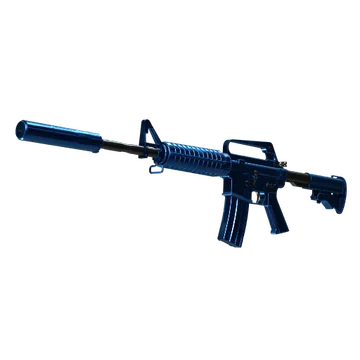
Last but not least, M4A1-S | Blue Phosphor also features a modern aesthetic. It offers multiple layers of metallic blue paint over a chrome base. In combination with the Source 2 engine, it looks especially breathtaking. No less noticeable the kill from such a skin.
b1t Pro Settings Stickers
The most notable stickers featuring b1t's autograph highlight his moments with NaVi. Being one of the youngest Major winners in history, the player’s Gold signatures are valuable for the clean aesthetic and high-performance association. For example, one of them is b1t (Gold) | Stockholm 2021. It costs less than $5 but commemorates b1t's first Major win. The signature is located in a gold finish with a small PGL logo and the “Champion” tag.
Another noticeable sticker is b1t (Gold) | Rio 2022. While NaVi took 5-8 place in that Major, it cost around $11. Still, this sticker is even more valuable than the previous one. The reason lies in its intricate dreamcatcher border around the autograph. At the same time, the gold is slightly warmer and even bronzed in comparison to the Stockholm version.
One more valuable sticker, priced at around $11, is b1t (Gold) | Budapest 2025. This sticker is one of the newest items that was released for the StarLadder Budapest Major. The gold effect on it is much brighter, and the signature is clear within the decorative frame.
b1t BIO
b1t BIO
Valerii “b1t” Vakhovskyi is known as NaVi's Headshot Machine. Among the youngest Major winners, the player shows a noticeable crosshair placement and a high headshot percentage. It makes him one of the most talented riflers on the competitive scene. Together with jL and w0nderful, b1t led NaVi to a top-3 global ranking. Moreover, he ranked #20 on the HLTV Top 20 of 2025.
Analysts predict that b1t will become the most decorated Ukrainian player in history. As a two-time Major winner (Stockholm 2021, Copenhagen 2024), b1t is ready to secure the third one in 2026. It will help him to achieve legendary status among riflers.
Outside the competitive scene, b1t enjoys cycling. The player also prefers traveling during the off-season. At the same time, he often shares high-level aiming tips with the community during streaming.
