
CS2 Skin Renting Explained: Affordable Access to Premium Skins
 el-pollo-diablo
Each of us wants something more than just a regular view of a weapon. It adds some uniqueness to our look, emphasizes playstyle, and even inspires. Still, adding a new coveted skin can sometimes cost a fortune, especially if you’re trying to get it through a case opening. The solution is CS2 skin renting. How it works, and what are the essential details you should know? Grab your drinks and snacks, and let’s begin exploring the topic.
In article you will find:
What Is Skin Renting in CS2?
First of all, what is CS2 skin renting? In truth, everything is simple. Still, we should explore it with some details.

As you know, typically, to add a new skin to your collection, you need to purchase it or obtain it through a case opening. And if we’re talking about Covert rarity tier skins, the price could be over $100 or $1,000. Even case opening could be costly due to the low drop-off odds.
Now, imagine you can get AK-47 | Inheritance, AWP | Chrome Cannon, M4A1-S | Black Lotus, and USP-S | Jawbreaker for the cost of a single key. Impressive, right? The only detail we shouldn’t ignore is that there is a time limit to using it and a lack of further selling. In one word, we are talking about CS2 temporary skins. Today, you have it, and as soon as the rental period ends, you lose it.
Option 1 – Rent CS2 Skins via Third-Party Websites
We have already shared some spoilers about skin renting, but the principle of operation differs slightly between Valve’s official system and Third-Party Websites. And first, we explore how to rent CS2 skins by using CS2 Third-Party skin rental sites.
The first steps in using these platforms are basic. You need to find a legit and trustworthy site, which is an essential part if you want to rent CS2 skins. After you choose the platform that suits you best, you need to register and link your Steam account, including the Steam Trade URL. Don’t forget about Steam Guard Mobile Authenticator, which should be active for 7 days or more to avoid trade holds, primarily for the safety of your account.
Now, the process is much easier. Let’s explore it step-by-step:
- Deposit Funds / Subscription: A deposit or subscription system may be in place. Additionally, some CS2 Third-Party skin rental sites may require a collateral deposit for high-value skins, which is returned after the rental period.
- Select Skins: The range of rental skins may vary depending on the platform. Select a weapon skin, knife, or gloves that you would like to use for your rental period. Additionally, there may be an option to choose the StatTrack version or select a specific wear condition.
- Rental Period: The rental period may vary, ranging from 7 days to 30 days or even as part of your subscription.
- Trade Offer: As soon as you choose a skin you want to rent, the platform’s bot will send you a Steam trade offer containing the rented skin. Accept it on Steam.
- Return a Skin: At the end of the rental period, the platform will send you a reminder to return the skin. Now, you need to send a rented skin back to the platform’s bot via a Steam trade offer.
Pros and Cons of 3rd Party Websites
Let’s check the pros and cons of renting skins by using Third-Party Platforms:
| Pros | Cons |
| Wider selection of skins | Verification and KYC |
| StatTrack versions | Deposit fees |
| Customization with stickers (if the platform allows it) | Security concerns (avoiding scams) |
| Selection of a float level | |
| Long rental period |
Option 2 – Rent Skins Inside CS2 Using Valve’s Official System
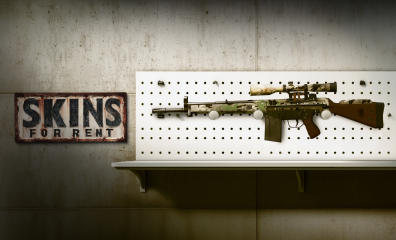
Now, we need to know how to rent CS2 skins by using Valve’s official system. As you can see from the previous information, it should have fewer options in contrast to Third-Party Platforms. And it is. For example, the only skins you can rent at the moment by using the CS2 official rental system are the CS2 Kilowatt Case weapon skins. Also, the rental period is only 7 days.
The process is also shorter and simpler:
- Launch CS2.
- Enter inventory.
- Choose the Kilowatt Case and click on “Unlock Container.”
- Purchase the Kilowatt Case Key if you don’t have it (it costs $2.50).
- Click the “Open for Rent”.
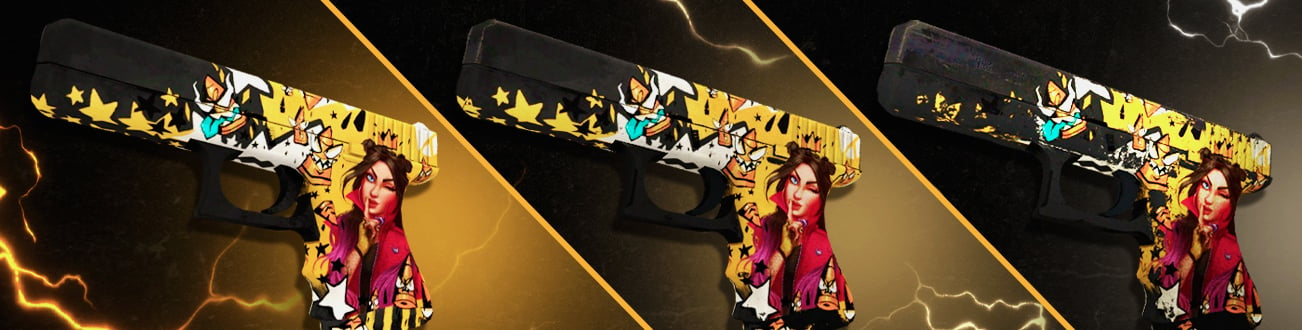
Now, you have in your inventory weapon skins from the Kilowatt Case for 7 days. These CS2 temporary skins include AK-47 | Inheritance, AWP | Chrome Cannon, M4A1-S | Black Lotus, USP-S | Jawbreaker, Zeus x27 | Olympus, Glock-18 | Block-18, and others.
The limitations are simple:
- You cannot sell, trade, or use these skins in trade-up contracts.
- No applying stickers.
- No choosing a float level.
- No Knives or Gloves.
- Only one Case is available.
- There is no float selection.
Pros and Cons of Official Valve System
If you want to rent CS2 skins by using Valve’s official system, you should know about the pros and cons of it:
| Pros | Cons |
| Official and safe | Limited time |
| Cost-effective for trying many skins | Lack of customization |
| Excellent for experimentation | Only Kilowatt Case |
| No Knives / Gloves |
Which Skin Renting Option Should You Choose? (comparison table)
| Option | Third-Party Platforms | Valve’s Official System |
| Skins | A variety of skins from many collections | Only Kilowatt Case weapon skins |
| Time | 7 days, 30 days, or more | 7 days |
| Price | Depends on the platform | $2.50 for the key and $0.60 for the case |
| Knives/Gloves | Yes | No |
| StatTrack | Yes | No |
| Customization | Yes (depends on platform) | No |
| Float level | Yes (selecting) | No (random) |
| Safety | Depends on the platform | High-level |
Is CS2 Skin Renting Safe?
Of course, if you want to know how to rent CS2 skins, you may also wonder if it is safe. In short, yes. Still, it depends on the platform you want to rent skins. The reason lies in scam sites that are trying to steal your funds and data. That’s why you should double-check the platform you choose to use, check the reviews about it, and avoid “too good to be true” offers.
To Sum Up
As you can see, each player can rent skins in Counter-Strike 2. It’s a great solution if you want to try a certain skin without spending the full price. The only thing you need to do is choose the platform you wish to use for renting skins and enjoy the game with popular and sought-after designs, even if it is just for a few days or weeks.
Also, remember to explore other materials on Hellcase Blog. Here, you will find everything about Counter-Strike 2, including essential tips for better play, helpful guides, and lists with top skins and loadouts. Stay tuned and enjoy the game with us!
FAQ
Yes, CS2 skin renting is entirely safe. Still, if you’re using Third-Party Platforms, you should check first that they’re trustworthy and legitimate.
You cannot keep a rented skin permanently. The core concept of “renting” is temporary access, not ownership.
You can rent knives or gloves by using Third-Party Platforms, but not Valve’s official system.
It relatively affects your inventory and market eligibility. First, the skins appear in your in-game CS2 inventory for a rental period. Second, you cannot sell, trade, or use these skins in trade-up contracts.
If you’re using Valve’s official system, the skins automatically disappear from your inventory. In the case of Third-Party Platforms, you must send skins back to the platform through a Steam trade offer.

El Pollo Diablo is the author of articles and game guides. He knows the answers to all your questions about game mechanics, updates, and tournaments.