
Best Microphones for Gaming and Streaming CS2: Top Picks for Clear Comms
 milica-dobrev
If you’re here, there’s a chance your gaming friends are tired of hearing you through what sounds like a McDonalds drive-thru speaker from 1995. Clear communication is a must in gaming, as it’s one of the things that can make the difference between winning and, well, getting absolutely destroyed. For that, you need a crisp micro for CS2.
In this Hellcase article, we’ll explore the best microphones for gaming and see what’s all the fuss with different types of microphones. C’mon, it’s time to pick your best micro for CS2!

In article you will find:
Types of Microphones for Gaming and CS2
When it comes to the best microphones for gaming, you’ve basically got two main choices: USB and XLR. The first ones are reliable, easy to use, and they get the job done. XLR mics need more setup and practice (and extra equipment), but the results can be amazing if you know what you’re doing. Let’s learn more about the types of best computer microphones.
Standalone Microphones
Getting a standalone mic for CS2 is usually a smart move. While they might look a little intimidating, they’re actually pretty straightforward. The nice thing about standalone mics is you can position them exactly where you want. You can mount them on a boom arm or set them up on a desk stand if that’s more your style.
Also, you can pair them with whatever headphones you want. Maybe you’ve got a favorite pair you’re not ready to give up just yet because the mic isn’t that great.
USB Microphones
USB Microphones are basically the “plug-n-play” options for players who want a mic that’s easy to set up. Some of them are the best microphones for gaming. The Blue Yeti and HyperX QuadCast are just a few examples. Just plug your mic into your USB port, and you’ll be ready to call those rushes on Mirage. Of course, you can configure the settings to your liking using built-in and downloadable software, but that’s totally up to you and optional.
More expensive variants often promise high quality right “out of the box.” Meanwhile, the cheaper micros for CS2 might require you to actually spend some time playing around with their settings to achieve decent sound quality.
XLR Microphones
Yeah, XLR Microphones are the big boys of the audio world, and they’re the best crisp-sounding microphones for streaming. Sure, they need a dedicated audio interface to work, but man, the quality is absolutely insane. You’ll see some streamers using some of the best desktop microphones for streaming like the Shure SM7B. Overkill for just CS2? Maybe. But it might be worth the investment if you also create content or stream.
Headset Microphones
We assume that most CS2 players are using headset mics, and that’s totally fine in most cases. Headset mics get a bad rap, but they’ve come a long way from those scratchy-sounding pieces from a few years ago.
Modern gaming headsets like the HyperX Cloud Alpha or the Logitech G Pro X have surprisingly decent mics (not the wireless models), although the sound is nothing compared to the best microphones on the market. The convenience factor is huge here, and it’s hard not to agree. Everything’s right there in one package, no extra setup is needed.
What You Should Know About the Best Gaming Microphones
The thing with gaming devices is that there’s a whole lot of marketing hype out there. The appealing designs and RGB lights, the partnerships with eSports stars, all of the things that should make you want to spend extra. But here’s what actually matters for the best micros for CS2.
Clarity is a Priority
Your teammates need to understand you clearly and quickly. You don’t need studio-quality audio, but your callouts should be crystal clear. Look for mics with good noise cancellation and clear voice pickup. How your mic translates your voice is what matters the most. It’s what it’s made for, after all.
Durability Matters. A Lot.
You’re going to be using this thing a lot. Get something that can handle being adjusted, bumped, and used daily. Those fancy RGB lights are cool, but make sure the basics are solid first. And yeah, even if it’s durable and all that, don’t throw it around your room after you whiff badly.
Controls Should Be Easy to Reach
You want a gaming mic with an easy mute button you can hit quickly. Don’t want your teammates to hear your mom yelling about your room smelling weird, do you? Nothing worse than having to alt-tab out of CS2 to adjust your mic settings in the middle of a match. An alternative would be to set up a button on your mouse, for example. Some of the best mouses for CS2 have a lot of customizable side buttons for that matter.
Think About Noise Handling
If you’re using a mechanical keyboard (yeah, mechanical ones are the best keyboards for CS2), make sure your mic won’t pick up every single keystroke. Most of the keyboards and their stock switches are just too darn loud. Good positioning or advanced noise-cancellation features can help with this.
What is the Best Micro for CS2?
The best microphone for gaming needs to nail a few key features: crystal clear voice pickup, good noise cancellation for those mechanical keyboard clicks, and easy controls you can reach mid-match. Let’s look at some top options that won’t let you down in-game.
HATOR Dreamcast RGB
Type: Wired
Connection: USB
Frequency range: 30 – 18000Hz
Microphone sensitivity: -130 dB
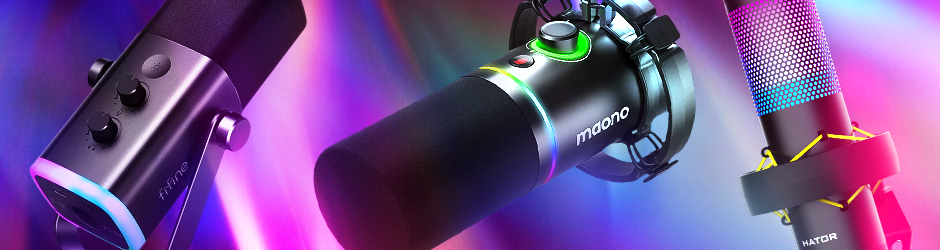
Here’s a versatile mic that’s trying to do it all. And it does it quite well. HATOR Dreamcast RGB has four different pickup patterns. While most CS2 players will stick to the cardioid mode for clean callouts, you’ve got options if you ever want to record with a friend (bi-directional) or capture team reactions (omni).
The built-in controls cover all the basics: sensitivity adjustment, headphone volume, and a touch mute. Nice touch with the shock mount being built right in. They’ve included a chunky base that actually stays put.
This is a condenser mic, so it’s pretty sensitive. If you’ve got a mechanical keyboard or tend to bang your desk during clutch moments, you might want to play with the sensitivity settings.
FIFINE AmpliGame AM8 USB/XLR
Type: Wired
Connection: USB/XLR
Frequency range: 20 – 20 000Hz
Microphone sensitivity: -47 dB
Here’s a dual-threat mic that runs in both USB and XLR modes with a solid 20Hz-20kHz frequency range. Basically, it will catch everything your voice can throw at it. It’s super straightforward in USB mode: just plug and play.
You get a mute button with an LED (no more “guys, was I muted?” moments), and you can control your volume right on the mic. And if you ever decide to get serious about streaming, the XLR connection is there waiting for you to level up your setup. It’s one of the best microphones for gaming.
Maono PD200X
Type: Wired
Connection: USB
Frequency range: 16 KHz
Microphone sensitivity: 45 dB
Polar pattern: Undirectional
Maono PD200X has a 2-in-1 smart knob. Twist it one way for mic gain, and the other for headphone volume. There’s a mute button with an LED, so you’ll never have that awkward moment of talking to yourself while muted.
It’s got both USB and XLR options (though you’ll need to buy an XLR cable separately), and it comes with MAONO Link software that lets you mess with EQ settings if you’re into that.
Best Mics for Streaming CS2 and Other Games
Streaming demands more from your mic than just voice retranslation. You need something that can handle both your game callouts and entertaining your audience.
Best microphones for streaming offer better sound quality, more control over your audio, and features specifically designed for content creation. They cost a tiny bit more, but your viewers will definitely notice the difference.
Logitech G Blue Yeti
Type: Wired
Connection: USB
Frequency range: 15Hz – 22kHz
Microphone sensitivity: 120 dB
Polar Pattern: Multipattern
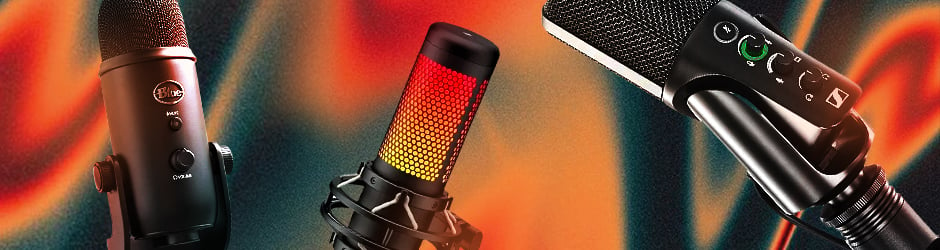
One of the best microphones for streaming, Logitech G Blue Yeti is the classic that everyone knows, and for good reason. It’s been the go-to mic for streamers since forever, and it still holds up for CS2.
It’s got a three-capsule setup inside. For CS2, you’ll use cardioid mode, but you’ve got omni, bidirectional, and stereo patterns if you ever branch out into content creation. The controls are all right where you need them, so no digging through menus or alt-tabbing out of your game.
It comes with Blue VOICE software through G HUB if you want to get fancy with your sound. The stand lets you point the mic exactly where you need it. Most people end up mounting it on a boom arm eventually, but the included stand is solid for starting.
HyperX QuadCast
Type: Wired
Connection: USB
Frequency range: 20 – 20 000Hz
Microphone sensitivity: -36dB
Polar Pattern: Cardioid, Bidirectional, Omnidirectional and Stereo
We’d say that HyperX QuadCast is a mic that knows what gamers want. The first thing you’ll notice is that wild red lighting, but there’s some serious tech here beyond the gamer aesthetic. You get four different pickup patterns!
It has a tap-to-mute sensor on top with an LED indicator. Red light means you’re live, no light means you’re muted, simple as that.
It comes with a built-in shock mount that actually works. The gain control is right at the bottom where you can easily reach it, and there’s even a built-in pop filter to handle those explosive calls. HyperX QuadCast works with pretty much everything from PC to PS5, and it’s certified for all the major platforms like Discord and OBS.
Sennheiser Professional Profile Microphone
Type: Wired
Connection: USB
Frequency range: 20 – 20 000Hz
Microphone sensitivity: 125 dB
Leave it to Sennheiser to keep things classy. This mic brings their pro audio expertise to the gaming world with a full 20Hz-20kHz range and 125dB sensitivity. Yeah, it’s got the specs, but what’s cool is how they’ve made something pro-grade actually easy to use.
It’s got the signature Sennheiser sound: warm and natural, making your voice sound like, well, your voice. The controls are very simple. You get physical controls you can quickly reach over to when something needs to be adjusted.
It’s cardioid-only, which is actually perfect (yes, more than enough) for CS2. It’s one of the best microphones for streaming. The table stand is solid and keeps things compact, perfect if you’re working with limited desk space.
Best Mics for Podcasting
For podcasting, you need a mic that captures the warmth and nuance in your voice, handles long recording sessions, and offers professional-grade audio quality. The options listed below will make you sound like you’re running a professional studio, even if you’re just recording in your gaming room.
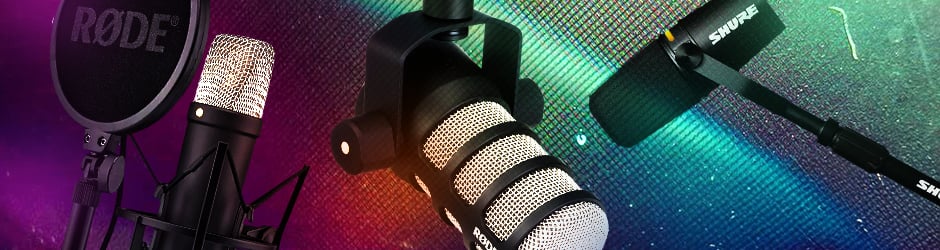
Shure MV7+ Podcast Microphone
Type: Wired
Connection: USB
Frequency range: 20 – 20 000Hz
Microphone sensitivity: 40 dB
Shure didn’t just update their MV7! They turned it into a streamer’s dream. First up, it’s OBS-certified. This mic plays nice with streaming software right out of the box.
The Voice Isolation Tech is amazing. laying CS2 in a noisy room? The real-time denoiser handles that background noise like a champ. The LED touch panel is pretty slick, you can tap anywhere on that panel for instant mute.
They’ve built in the “Digital Popper Stopper” and the Auto Level Mode that adjusts based on how far you are from the mic and how loud you’re talking. Bonus feature that’s neat but you probably won’t use for CS2: built-in reverb settings.
RØDE NT1 5th Generation
Type: Wired
Connection: USB, XLR
Frequency range: 20 – 20 000Hz
Microphone sensitivity: 45 dB
Polar pattern: Undirectional
RØDE NT1 5th Generation is a legendary studio mic that’s surprisingly gaming-friendly. Its standout feature is the 32-bit float recording. In CS2 terms? You can go from whispering strat calls to screaming “LET HIM COOK” without your mic freaking out. No clipping or distortion, just clean audio no matter how hyped you get.
The thing is built like a tank with aluminum body with nickel plating and some kind of military-grade ceramic coating.
And it’s flexible! Start with USB for simple plug-and-play CS2 sessions, but if you ever want to get serious about streaming or content creation, that XLR connection is ready and waiting. The preamp is built right in, so you’re getting studio-quality sound either way.
RØDE PodMic Cardioid Dynamic Broadcast
Type: Wired
Connection: XLR
Frequency range: 20 – 20 000Hz
Here’s an interesting one, optimized for podcasting. RØDE PodMic is a pure XLR mic with that classic radio sound. No USB option here, but that’s not necessarily a bad thing.
It’s got a built-in pop filter, so no more extra accessories just to stop those explosive callouts from blowing out your teammates’ ears. With its internal shock mounting your desk-banging moments won’t sound like an earthquake in Discord.
Fair warning: you’ll need an XLR interface to use this cool mic. That might seem like an extra hassle, but it’s worth it if you care about sound quality. The mic focuses on your voice while keeping background noise to a minimum.
Best Cheap Mics Under 100$
The budget mic market has come a long way, and there are some surprisingly solid options under $100. These mics might skip the fancy features, but they nail the basics of communication.
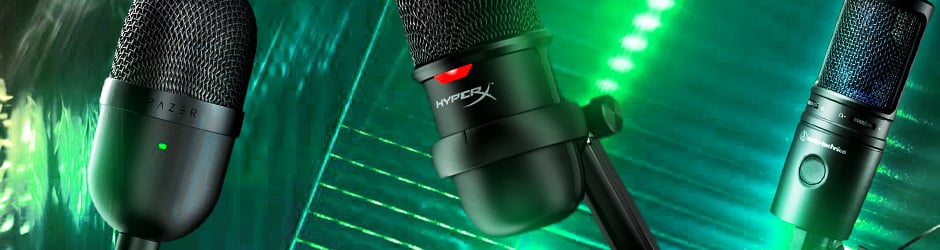
Razer Seiren Mini
Type: Wired
Connection: USB
Frequency range: 20 – 20 000Hz
Pattern: Super Cardioid
The Razer Seiren Mini is a tiny beast that proves size isn’t everything. With a super-cardioid pattern, this little mic is laser-focused on picking up just your voice. The condenser capsule inside picks up all the details in what you say (or scream). You’ll sound clear and crisp when making those crucial mid-round calls.
Plug it in, and you’re ready to go. The built-in shock absorber does its job quite well. The tap-to-mute feature with LED indicator works just fine.
Razer Seiren Mini is compatible with everything right out of the box – Discord, OBS, whatever you’re using. Just don’t expect any fancy RGB or extra buttons. This is a mic that focuses on doing one thing really well: making your voice sound good.
HyperX SoloCast
Type: Wired
Connection: USB
Frequency range: 20 – 20 000Hz
HyperX SoloCast is another no-nonsense mic that just gets the job done. It’s pure plug-and-play with USB-C. The sound quality is actually impressive with 24-bit/96kHz recording. Your voice will sound clean and clear.
The stand design is tiny but adjustable, and you can tuck it under your monitor if desk space is tight. Or throw it on a boom arm, as it works with standard mic stands if you want to get fancy with your setup.
Audio-Technica AT2020USB+X
Type: Wired
Connection: USB
Frequency range: 20 – 20 000Hz
Microphone sensitivity: 30 dB
Polar Pattern: Cardioid
The AT2020 has been a studio favorite forever, and this USB version brings that pro audio heritage to gaming. They’ve added a headphone jack right on the mic for zero-latency monitoring. You can hear yourself without that annoying delay that makes you feel like you’re talking underwater.
Sound quality is no joke. Its cardioid pattern makes the mic pick up only what’s in front of it. The 24-bit/96kHz sampling rate means you’ll sound crisp and clear. Everything you need comes in the box: even a USB-C to USB-A adapter for older PCs.
The setup is pure plug-and-play, but the sound quality is definitely a step above typical gaming mics.
Some of the Best Headset Mics for CS2
Sometimes the simplest solution is the best one. A good gaming headset with a quality mic gives you everything you need in one package. Modern gaming headsets have seriously stepped up their mic game, and these options easily prove it.
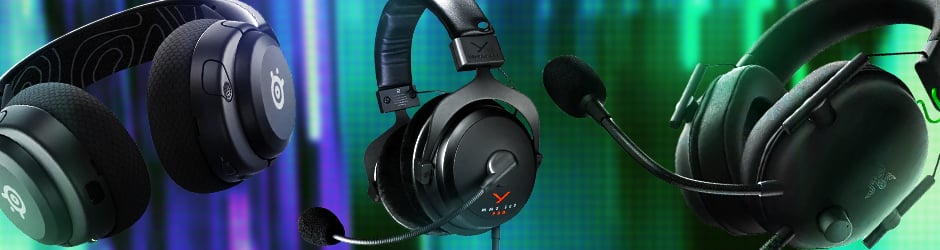
Razer BlackShark V2 X Gaming Headset
Type: Wired
Connection: 3.5 mm Jack
Frequency range: 20 – 20 000Hz
Razer BlackShark V2 X is a full gaming headset that deserves attention for its mic quality. They’ve gone with a Hyperclear Cardioid mic that’s actually pretty smart. You already know that’s a pickup pattern that focuses on your voice while ignoring background noise.
The mic position is adjustable and the noise cancellation works fine. While it’s got great features, this is still a 3.5mm connection, so you won’t get any fancy USB controls or software tweaks. But for pure gaming comms? It gets the job done without any fuss.
It’s super light at 240g, so your neck won’t hate you after long sessions.
Beyerdynamic MMX 300 PRO
Type: Wired
Connection: 3.5 mm Jack
Beyerdynamic MMX 300 PRO is a gaming product of a legendary German headphone maker. This is professional studio gear disguised as a gaming headset, and it shows.
They’ve put a legit condenser mic on this thing. It’s the same type you’d find in recording studios. When you’re making callouts in CS2, your voice comes through clear as day, with the full 20Hz-20kHz range ensuring every detail gets picked up. It has one of the best micros for CS2!
This isn’t mass-produced stuff! It’s handmade in Germany with spring steel and premium materials. If you want something that’ll last forever and make both your games and music sound incredible, this is it.
SteelSeries Arctis Nova 5X
Type: Wireless
Connection: Bluetooth and 2.4Ghx
SteelSeries Arctis Nova 5X is one of the proper wireless gaming headsets with some serious tech inside. It runs on both 2.4GHz wireless and Bluetooth 5.3, meaning you can switch between game audio and your phone with just a Quick-Switch button tap.
The ClearCast 2.X mic is pretty impressive. It’s got double the bandwidth of previous versions with 32KHz/16Bit audio. The retractable microphone design means it’s there when you need it, gone when you don’t. Also, it works with basically everything: PC, Xbox, PS, and other stuff).
How do You Decide What Mic You Need for CS2?
If you’re just starting, a quality USB mic like the Razer Seiren Mini or HyperX SoloCast will do the job perfectly. They’re affordable and sound way better than your average headset mic. When you want to step things up, options like The Blue Yeti hit that sweet spot between quality and price, with some nice extra features.
For those serious about sound quality, whether for competitive gaming or streaming, the Rode NT1 or Shure MV7+, which are among the best desktop microphones for streaming, are worth looking at. Yes, they cost more, but you’re getting professional-grade audio that’ll make your comms crystal clear.
Picking a mic for CS2 turns out to be not so complicated. It really comes down to a few simple questions.
What’s Your Setup Like?
If you’ve got a quiet, dedicated gaming space, a standalone mic could be perfect. But if you’re gaming in a shared room or somewhere with background noise, a good headset mic might actually be better since it’ll stay close to your mouth. Or, a good standalone mic with advanced noice cancelation capabilities.
What’s Your Budget?
You don’t need to drop hundreds on a mic to sound clear in CS2. Luckily, there are solid options at every price point. You can get some surprisingly decent headsets under $50. The sweet spot is somewhere at $50-$100. The $100+ mics have fancy features and premium quality, but definitely not necessary ones for most casual players.
How Serious Are You About CS2?
If you’re just playing casually with friends, a basic headset mic (not the cheapest ones, though) will do just fine. But if you’re playing competitively or thinking about streaming, you’d most likely want to invest in something better.
Additional Accessories to Enhance Gaming Experience
Let’s talk about the extras that can actually make a difference for your CS2 mic setup. Nothing fancy, really! Just the useful stuff that’s worth considering.
Pop Filter
Pop filter is just a small screen that sits in front of your mic, but it stops those annoying popping sounds when you’re making quick callouts. Pretty cheap, there’s a lot of those under $10. Definitely worth it.
Boom Arm
Basically a bendy arm that holds your mic. Keeps it off your desk (bye-bye keyboard noise) and lets you position it exactly where you want it. Super handy if you’re using a standalone mic. The pricing for decent boom arms starts somewhere at $30. Cheaper options are often all squicky and not so reliable.
Shock Mount
Shock Mount is like a little suspension system for your mic that stops it from picking up desk vibrations. Useful if you tend to get excited and bang your desk during clutch moments.
The cool thing is that it doesn’t matter if your mic is on the desk or the boom arm, shock mounts are almost always compatible. $10 is the average price for the cheaper models.
What if Micro is Not Working in CS2?
We’ve all been there. Even the best microphones just won’t cooperate in CS2. Here’s the quick fix checklist:
- Jump over to Steam settings (close CS2 first), go to Voice, and make sure you’ve got the right mic selected.
- Check if voice chat is even turned on. Type “voice_enable 1” in the console and see if that helps.
- Make sure your mic isn’t muted in Windows.
- Test your mic in Discord or another app to see if it’s working there.
- Restart CS2 (yeah, obvious).
- Check your mic’s physical connections and mute button.
We hope that one of those solutions was helpful!
How to Change Mic in CS2
Alright, let’s make this super simple. Here’s how to get your mic set up properly in CS2:
- Close CS2
- Open Steam
- Click Steam > Settings > Voice
- Pick your mic from the dropdown
- Test it (actually speak into it)
- Hit OK
- Restart CS2
That’s literally it. Just remember to test it in the lobby before jumping into a match. Way better than finding out your mic isn’t working in the middle of a competitive game. You can adjust your mic volume right there too if people say you’re too quiet or too loud.
You can also change your push-to-talk key and play around with settings using CS2 console commands. Learn more in our detailed guide about changing your mic in CS2 (and other useful settings).
To Sum Up
Hey, don’t get all caught up in fancy features you won’t use. When picking the best microphone for your setup, focus on what matters: clear communication, easy controls, and reliability. Take some time to set up your mic properly when you get it, test it with friends, and you’ll be making clean callouts in no time.
Explore more content in the Hellcase Blog: we’ve got a lot of useful stuff about CS2. You’ll find reviews of CS2 skins, in-depth game guides, and tech reviews like the one covering the best monitors for CS2. Stay tuned!
FAQ
USB mics just need your computer, while XLR mics require an audio interface or mixer. Some mics benefit from optional accessories like boom arms, shock mounts, or pop filters for better sound quality.
USB mics generally work with any computer (PC or Mac) and most gaming consoles like PS5. XLR mics will work with anything that has the right audio interface, making them more versatile but requiring more setup.
Most gaming mics have basic controls right on them. Usually, there’s a mute button and volume/gain control. More advanced features are typically controlled through software like Razer Synapse or MAONO Link.
Standalone mics generally offer much better sound quality and more control over your voice. They’re also more versatile if you want to get into streaming or content creation later.
Stereo records from left and right sides for a wider sound, bi-directional picks up sound from front and back (good for interviews), and omnidirectional captures sound from all directions. For gaming only, you usually want cardioid pattern, which focuses on your voice from the front.
For most gamers, a USB mic offers the perfect balance of sound quality and convenience. Unless you’re doing professional streaming or content creation, the extra cost and complexity of an XLR setup usually isn’t necessary.

Milica Dobrev is a writer/editor at Hellcase. Her favorite computer games are CS2 and Rust. She likes to share her experience and knowledge with CS2, Rust and Hellcase lovers.