
Best CS2 (CS:GO) Workshop Skins
 el-pollo-diablo
Although the official release of Counter-Strike 2 (CS2) is still pending, the excitement surrounding the game is off the charts. Anticipation has sparked a wave of creativity, with players flooding Valve with questions—especially about skin compatibility and new customization features. In response, Valve unlocked access to the CS2 (CS:GO) workshop tools, empowering the community to begin designing unique and visually stunning skins. This move has led to a surge of CS2 community skins that showcase the artistic vision and passion of the game’s fanbase. In this article, we highlight some of the best and most promising CS2 (CS:GO) workshop skins you should keep an eye on.
In article you will find:
What are Workshop Skins in (CS:GO) CS2?
If you are familiar with the CS:GO Workshop, then it’s the same thing, just based on CS2. Users create skins using the new Counter-Strike 2 Workshop Tools. Those arts that receive the most positive ratings developers can add to the next collection of CS2 in-game items.

After the skin appears in the game, you can get it from a case or purchase on the Steam community market.
Criteria for Evaluating CS2 (CS:GO) Workshop Skins
The value of skin depends on many factors, such as appearance, detail, uniqueness, rarity, and more. There are a lot of original and really beautiful works in the Workshop, but they never made it into the game because the final decision remains with Valve.
Aesthetic appeal
The skin should look beautiful, but you shouldn’t forget about the theme, after all, this is a shooter. A skin that is too bright will both disturb the player and stand out in the game. It is very important to maintain a balance here.
Rarity and collections
The rarity of skin is determined by the developers when adding it to the game. The most successful items from the collection receive a rarer quality, and vice versa. Also, the addition of particular skins depends on the theme of the collection that Valve is going to release.
It is also worth considering that there are skins for items that often receive a rarer quality, namely AWP, M4A4, and AK-47. That can be explained by the fact that players most often use these rifles in the game, and the demand for beautiful skin is bigger than for other guns.
Community popularity and user reviews
One of the main factors and indicators of a masterpiece is the number of views and positive ratings. The main principle here is “the more – the better”. The attention of the community will never go unnoticed, and the more discussion and comments on the work page, the faster developers will notice it.
Now, let’s take a closer look at the best CS2 (CS:GO) Workshop skins.
The Top Workshop Skins in (CS:GO) CS2
There are many worthy (CS:GO) CS2 Workshop skins, but we tried to select the best ones for you, perhaps, some of them may look familiar to you. At the bottom of each picture, we have left a link to the item page, where you can vote for the skin to be added to the game.
It’s worth starting with new products. In CS2, there will be skins for weapons that were not available in previous versions of the game.
Zeus x27 | Healing shock
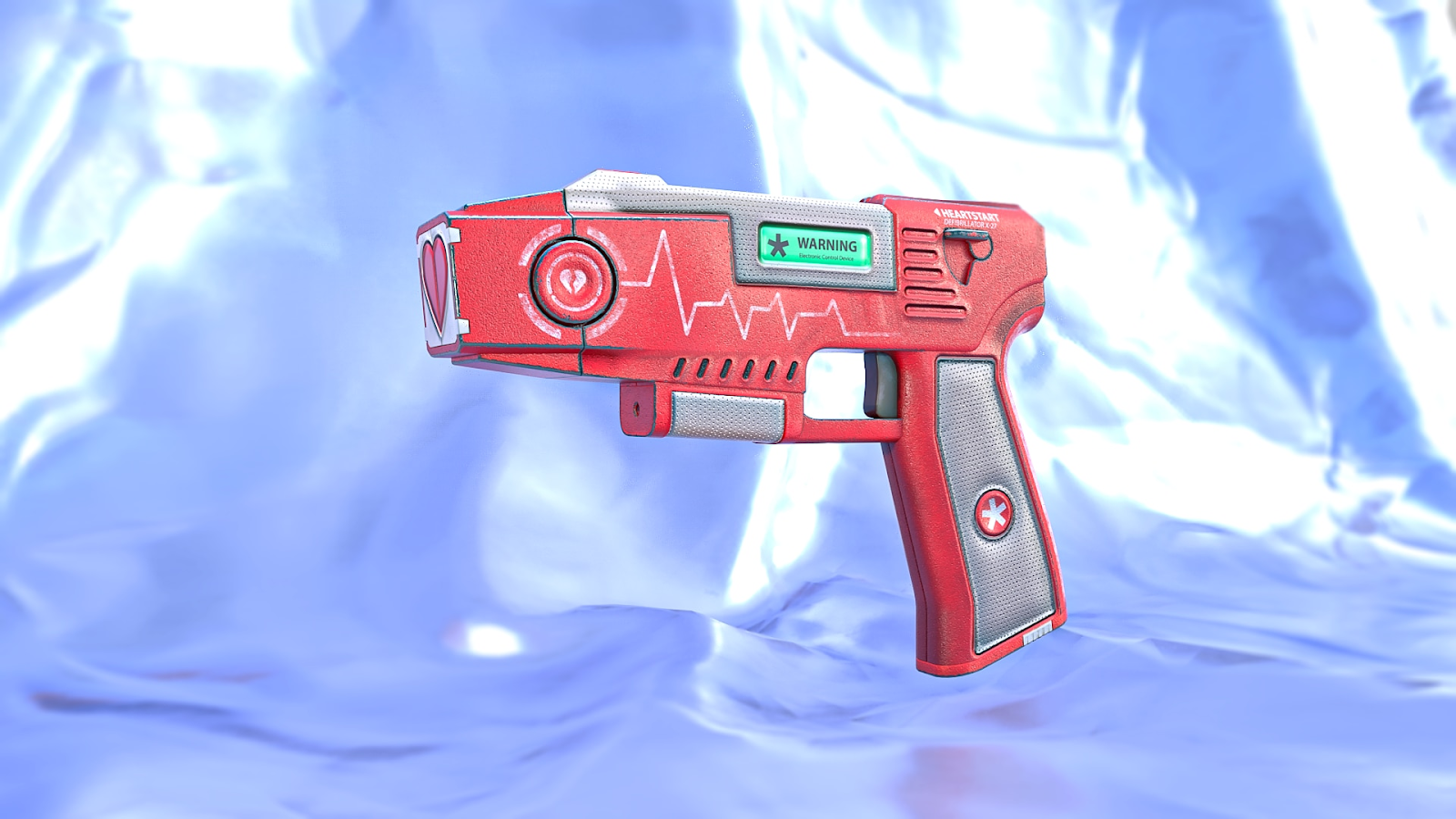
An excellent idea of the authors. It has obvious subtext, hidden in the broken heart at the end of the barrel. Unfortunately, you will be able to revive your ally, but after a successful hit, your opponent’s heart may not take it.
He Grenade | Porcelain

Yes, your eyes don’t deceive you! That is the first skin in the workshop for a grenade. It looks just like a Christmas tree decoration. We hope that if the developers add this item to the game, there will be an explosion warning sign on the case collection.
AK-47 | Demonic hyenas
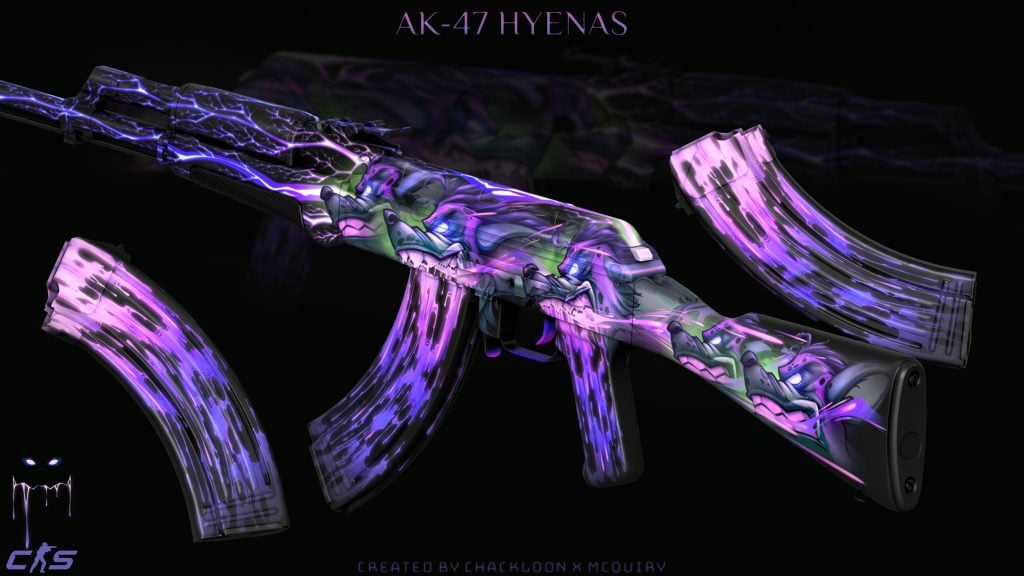
The skin has contrastive combinations of bright purple and toxic green. Quite an aggressive design that would appeal to many CS 2 players. In addition, this skin has two more variations but with a difference in color scheme.
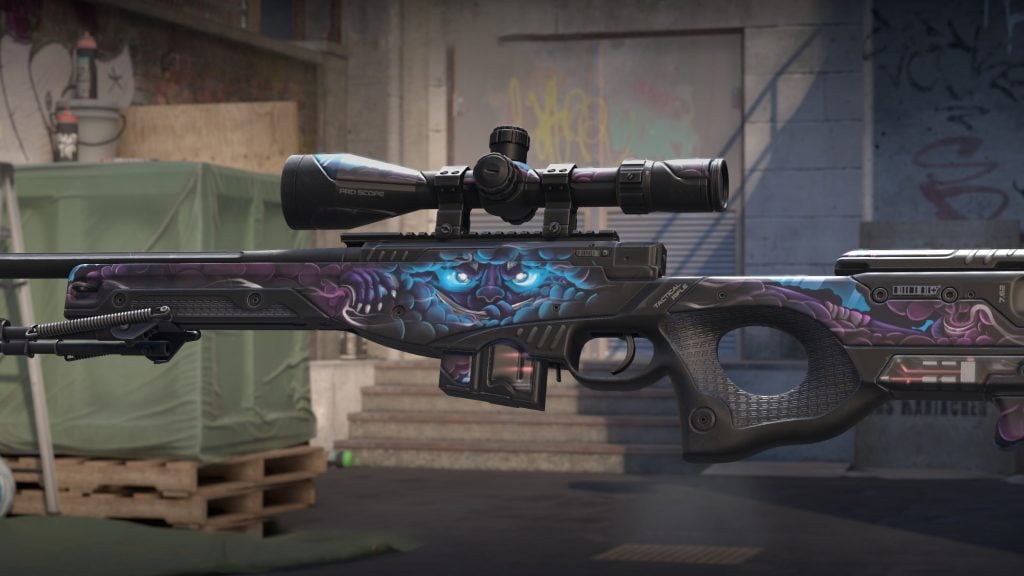
AWP | Smokescreen
source: https://steamcommunity.com/sharedfiles/filedetails/?id=3021179925&searchtext=AWP+%7C+Smokescreen
Gorgeous AWP, especially with the new Source 2 engine. Judging by the photographs on the page of this item, the authors have already partially done the exterior gradation. The most eye-catching detail is the creature in the center of the skin, which is somewhat reminiscent of the “Cheshire Cat” from the famous novel “Alice in Wonderland”.
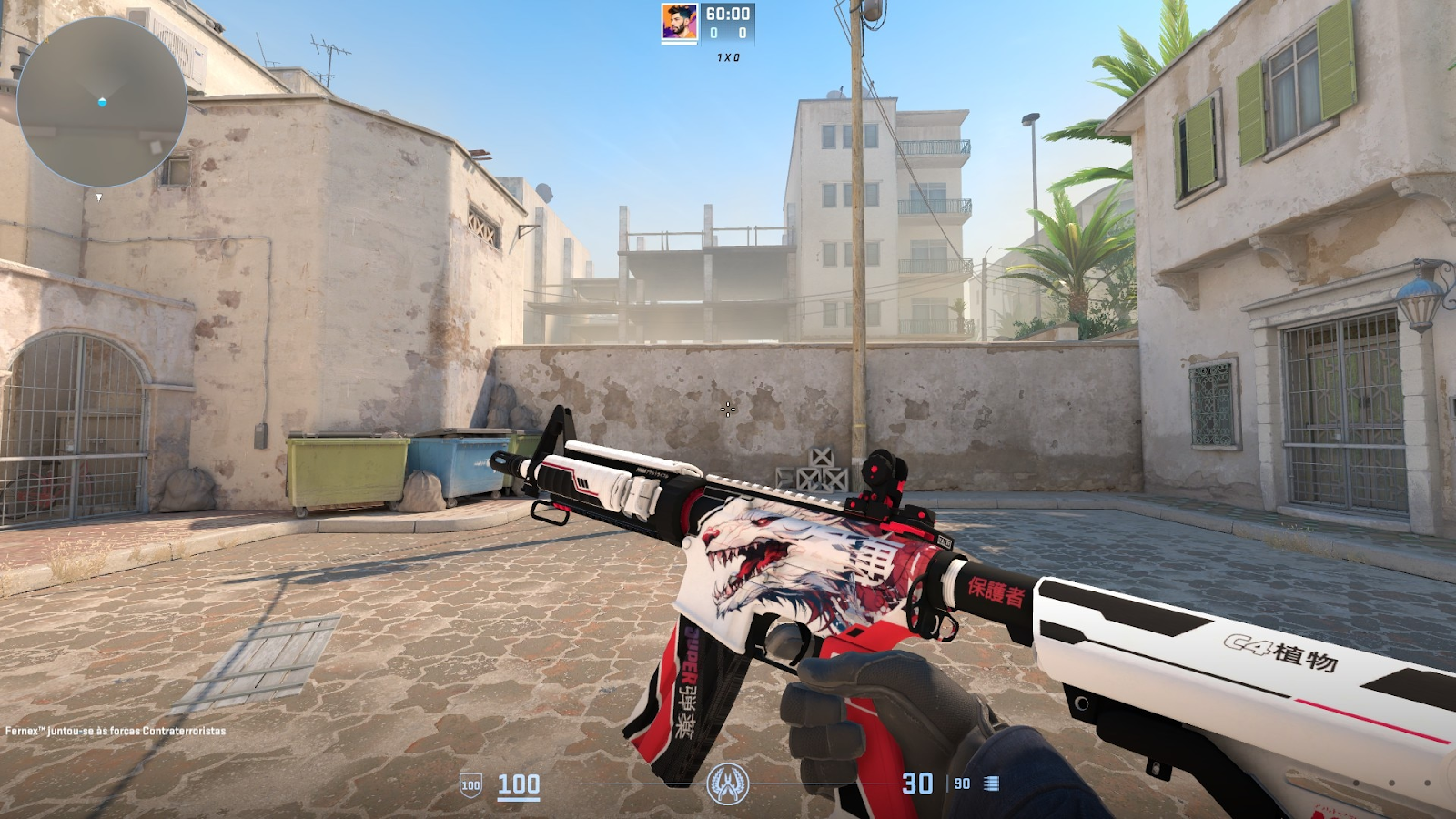
M4A4 | Protetora
source: https://steamcommunity.com/sharedfiles/filedetails/?id=3029398026&searchtext=M4A4+%7C+Protetora
Phenomenal work from the author with the nickname Fernex™ that, judging by the number of awards, has already received recognition in the community. Apparently, the author was inspired by the M4A4 skin | Howl. Well, let’s hope that won’t bring back old reminders to the developers, and they will add this work to the game.
Desert Eagle | Solanum Pearlescent
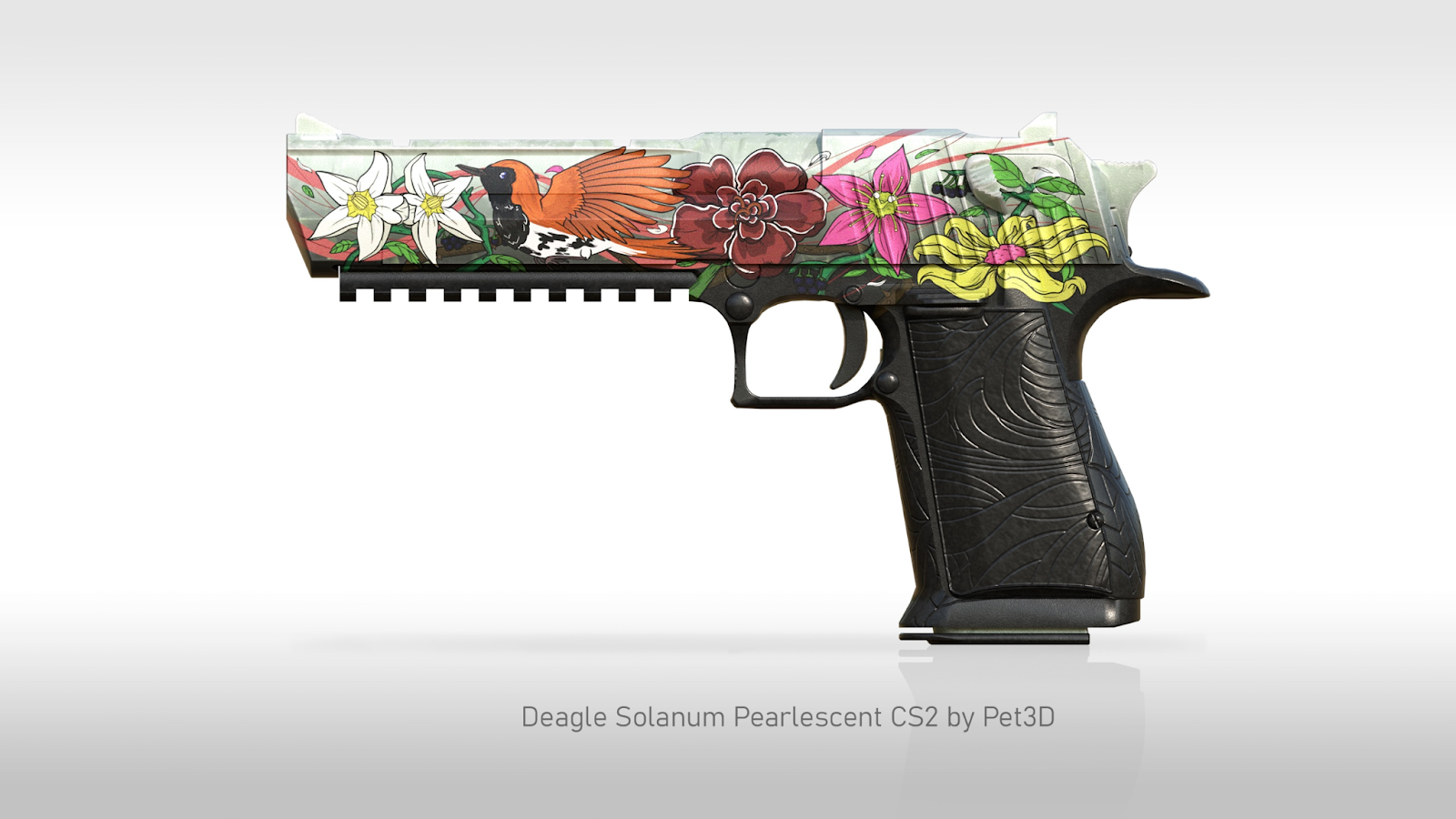
source: https://steamcommunity.com/sharedfiles/filedetails/?id=3031916894&searchtext=Solanum+Pearlescent
Alluring work in an original floral style. According to the author, he was inspired to do this work by the Ryukyu robin – a bird living on the islands of Japan. An interesting detail is the holographic colors on the skin. A similar technique you can see in the Printstream skin series.
The skins presented in our list are just a fraction of what is available in the vastness of the CS2 Workshop. It is impossible to include all the works there, so we advise you to check everything personally.
Wrapping Up!
With the release of CS2, changes affected not only the game mechanics, but also the visualization, including skins. Many authors have started creating content for you, so don’t be lazy and support the work you like because, first of all, you are doing it for yourself!
If you don’t want to miss important news about CS2, we advise you to read our blog. This way, you will be the first to know about updates!
FAQ
There is no such fixed date, but new works appear in the game with the release of operations and collections!
All skins presented in the Workshop are the intellectual property of the author. Property rights can be purchased by agreeing with the author.
No, skins from the workshop can only be viewed in the game on a local server if they are added to the game files. The anti-cheat system will not allow you to log into a protected server with modified local files.
Most likely yes, and in the future CS2 will feature skins for all types of weapons including grenades.
To get workshop skins in CS (CS2), start by opening the Steam client and navigating to the Community tab. From there, select ‘Workshop’ and choose CS2. As you browse through the available skins, click “Subscribe” on the ones you prefer to download to your game. Next, launch CS2 and access ‘Options’, then ‘Game Settings’, where you must enable the use of workshop skins. These skins can be used in offline games or on servers that allow workshop content. However, note that workshop skins are not usable in official online matches.
To use workshop skins in (CS:GO) CS2, first open the Steam Workshop for CS2, search for skins, and subscribe to the ones you like. After subscribing, launch CS2, open the console with the ~ key, type workshop_workbench, and press Enter to access the Workshop Workbench. Here, you can select your weapon and apply your chosen skin from the subscribed items. You can also adjust settings like wear to see different conditions of the skin. To test the skins, enter a local server or a bot match.

El Pollo Diablo is the author of articles and game guides. He knows the answers to all your questions about game mechanics, updates, and tournaments.